
Admin portal reskin
Settings grammar with the dark navy rail.
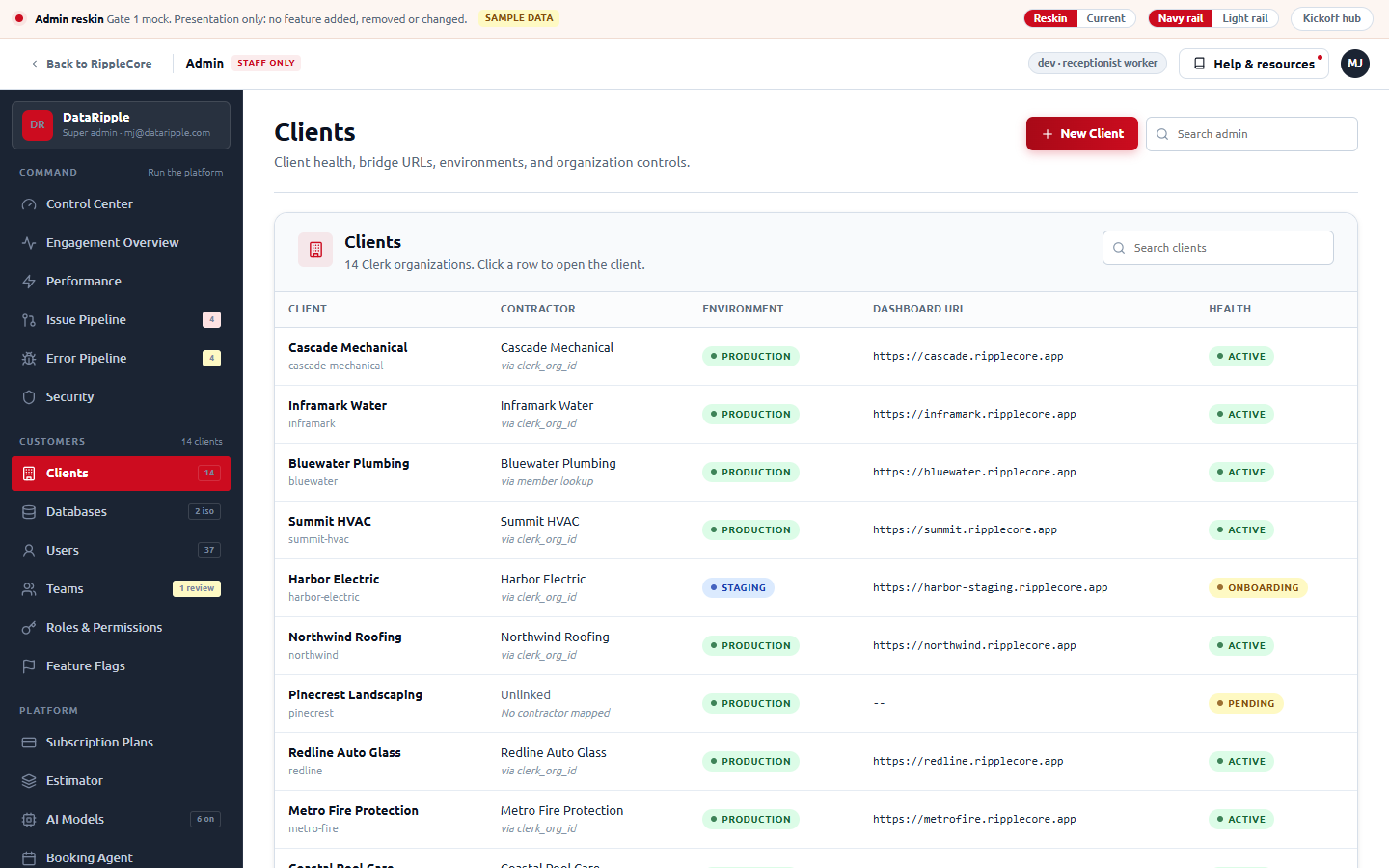
MJ: "the Settings format is the best", then "go with the dark navy rail." The mock is the Settings shell on the navy #1B2433 rail (red fill on the active item), titled cards, underline tabs, gray page. The white rail stays in the review bar for reference.
No more big metric tiles. Real counts become one quiet stat strip.
The count-tile rows the reskin had added to Clients, Users and Configuration are gone. Pages whose real code has KPIs (Control Center, Engagement, Performance, Teams, Databases, Security, Agents) keep the numbers as a single ruled strip, Stripe-style, each still opening the list behind it.
Option A, Stripe product catalog, with the Stripe catalog tabs (Products, Meters, Features) under it.
A: Stripe product catalog (products, immutable prices, entitlements). B: Chargebee plan catalog (plans, price points, entitlements tab). C: the pricing-matrix editor (Vercel, GitHub, Clerk Billing). Same worker model behind all three. Section 3b has the trade-offs.
Admin looks like the product, only calmer
Stripe, Clerk, Vercel and Cloudflare all run their internal and customer-facing admin on the same design system as the product. The chrome is quieter, not different. The patterns that repeat:
One rail, grouped, with counts
Short category labels, one click to any page, and a small number on items that have work waiting (Stripe's "Disputes 3", Clerk's "Users 1.2k"). No flyouts, no accordions.
Page header that says where you are
Title, one-line purpose, a search box on the right, a breadcrumb on detail pages. Cloudflare and Vercel both do exactly this at the top of every admin page.
Cards with a titled header row
Icon, title, one-line subtitle, actions on the right, then the body. Tables are flush inside the card. This is the Settings card grammar that already ships in RippleCore.
Inner tabs that look like tabs
Underline tabs for siblings (Clerk's user detail), a segmented control for views of the same data (Stripe's "overview / activity"). Never a second sidebar inside the page.
Status is a pill with a vocabulary
queued, running, failed, blocked: one colour system across every page so the eye learns it once. Linear and GitHub Actions are the reference.
Nothing is face-value
Counts open the list behind them, rows open the record, records show a timeline. MJ's dashboard rule; also how Stripe's admin behaves.
The gap nobody fills: internal admin consoles usually rot into a second design system because nobody sees them but staff. RippleCore's edge is that the Settings grammar is already built and measured; the admin can borrow it instead of inventing one.
Apply one existing RippleCore grammar, page by page, and change nothing else
The differentiator is restraint. Every control, label, tab, dialog and toast in the mock exists in the v3 admin today (inventoried from app/features/admin/* on origin/main, 65 files). The grammar is the one already shipped in RippleCore Settings (settings-shell.tsx, SettingsCard). The reskin touches five things and only five:
Shell
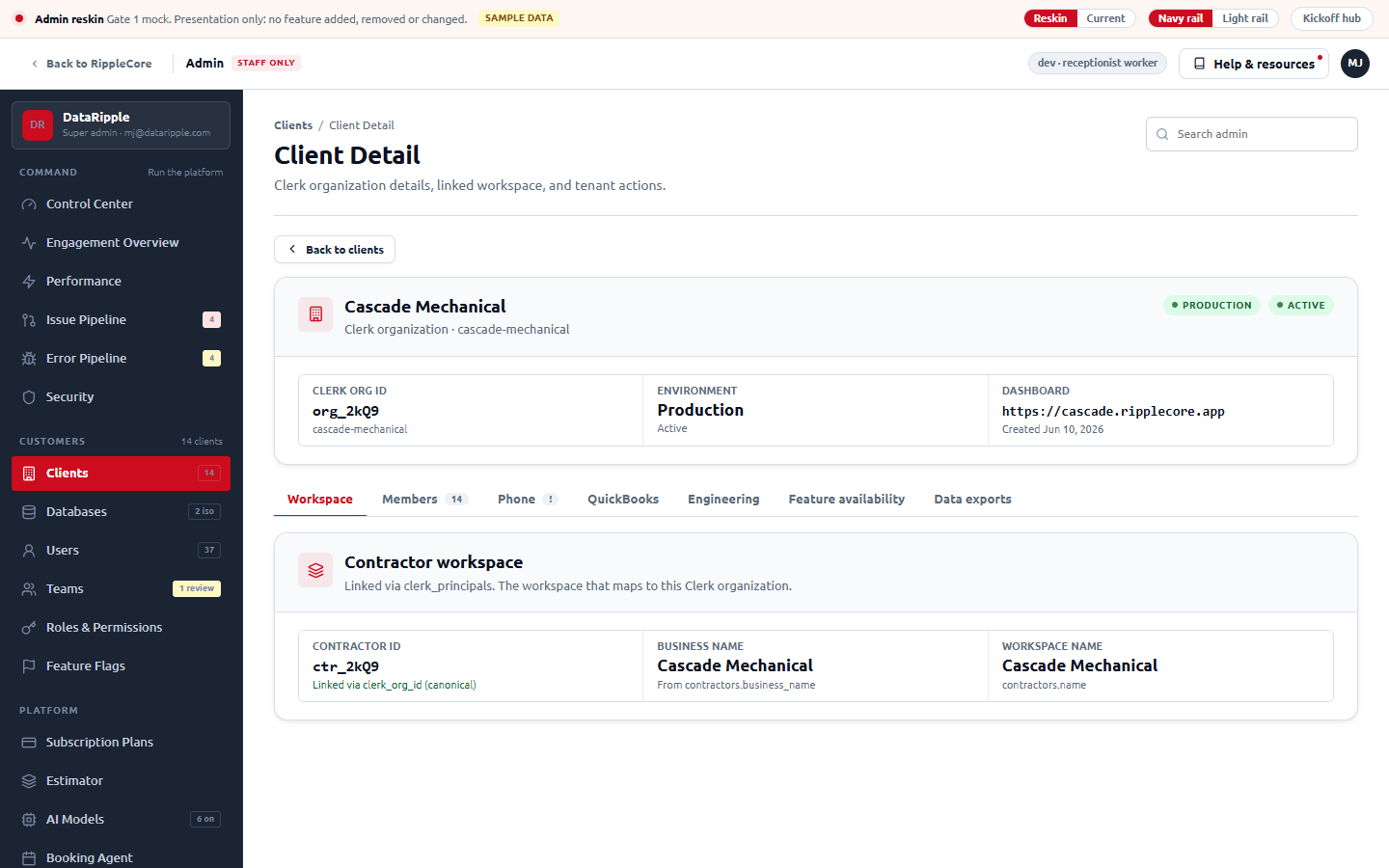
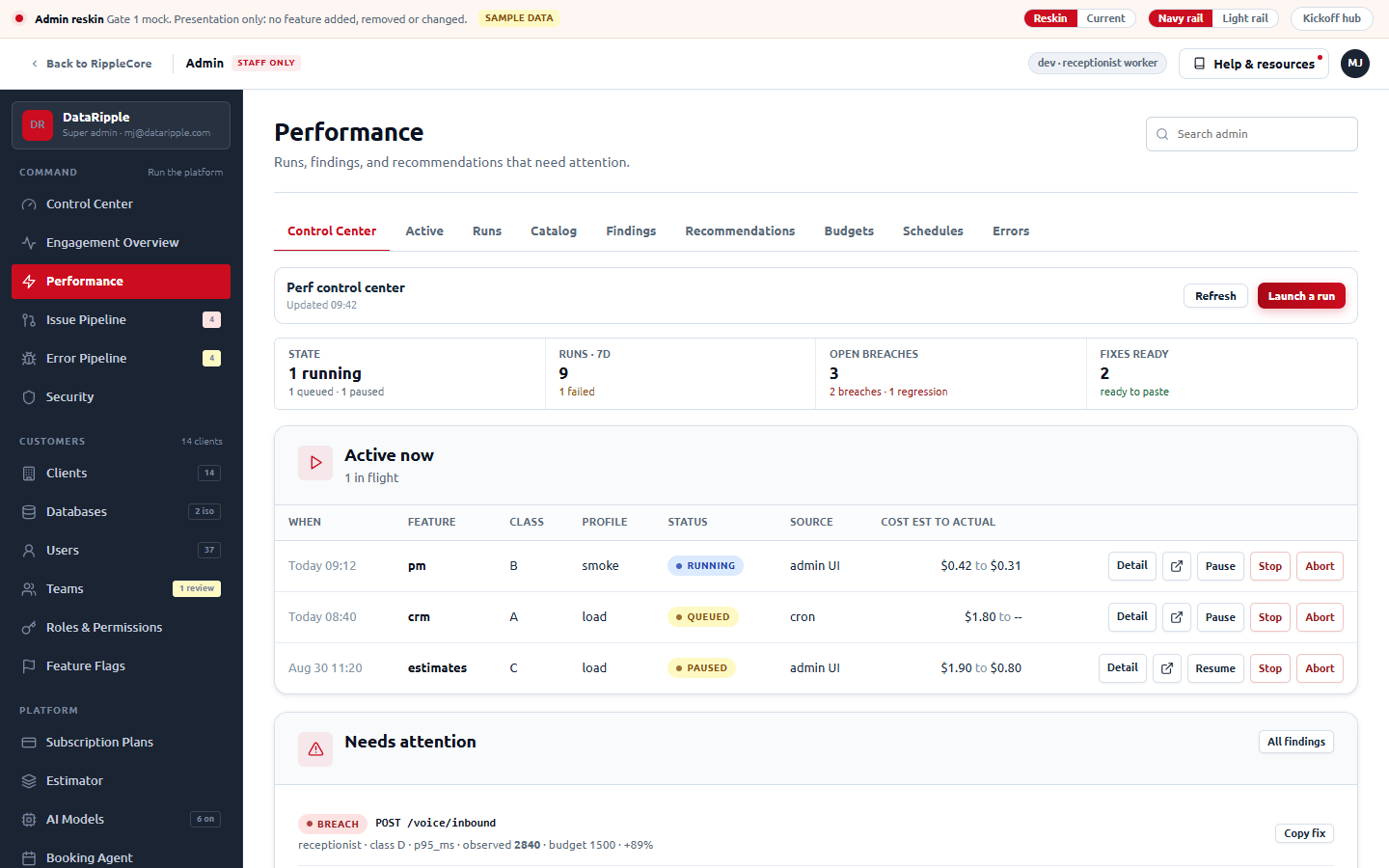
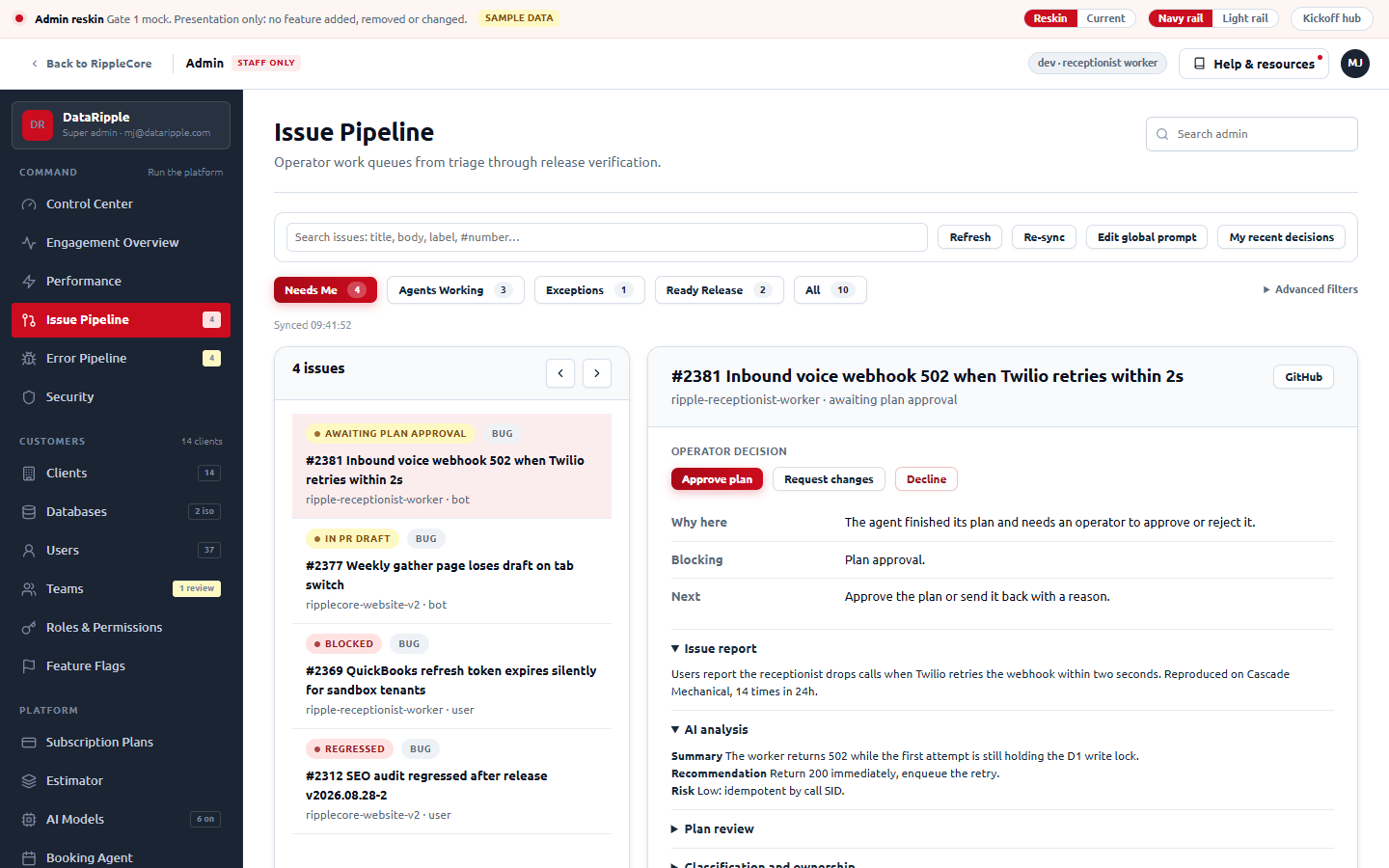
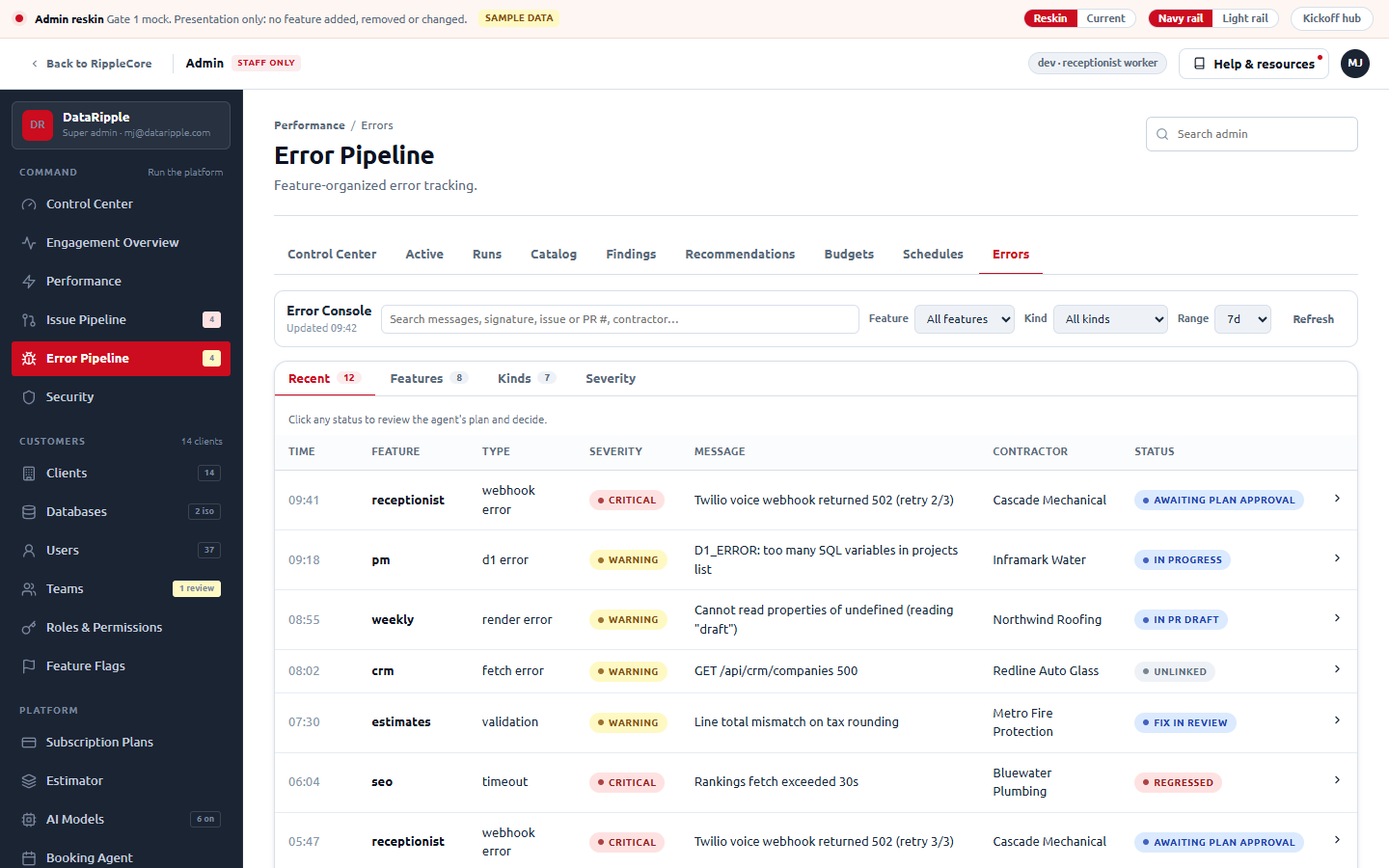
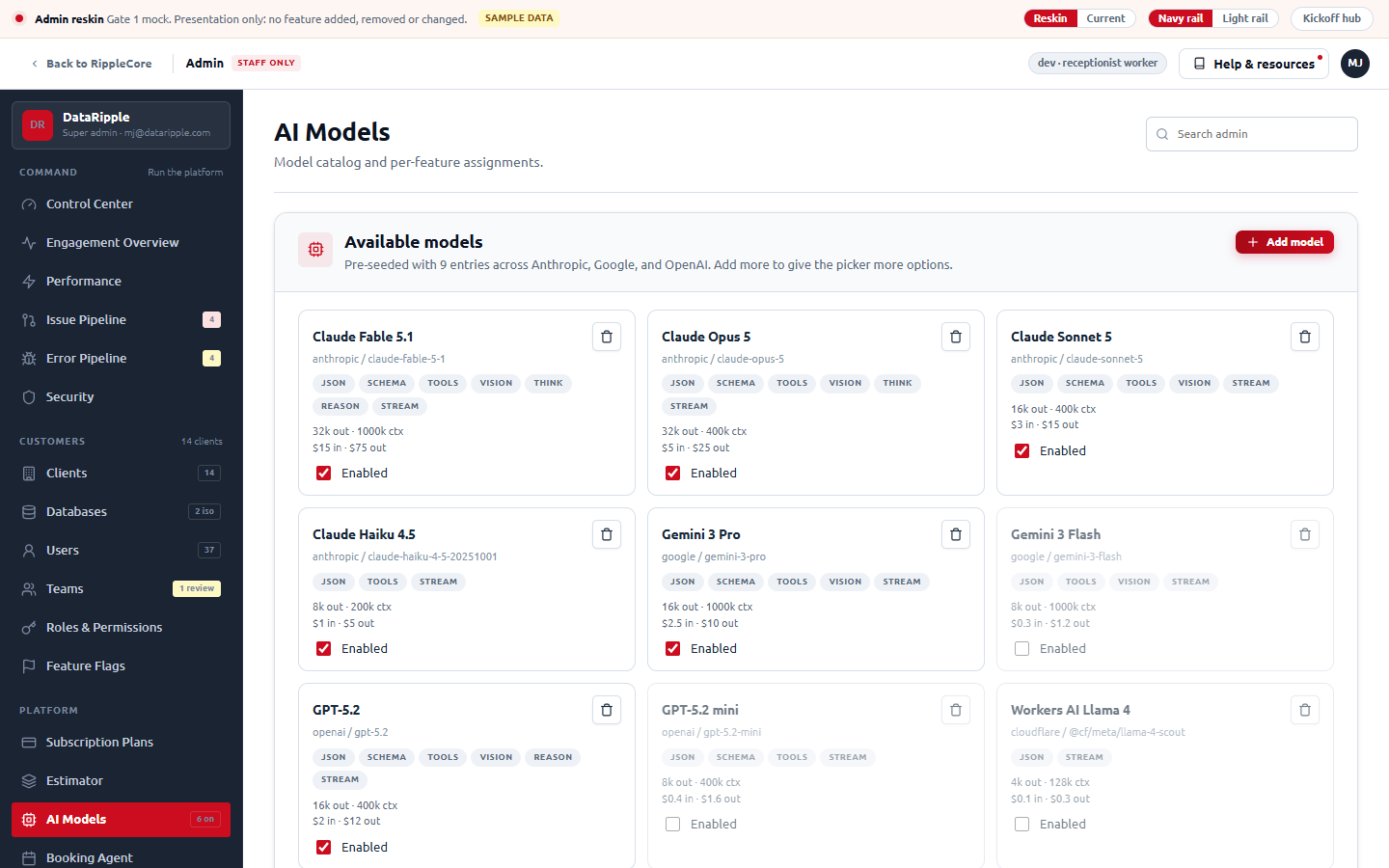
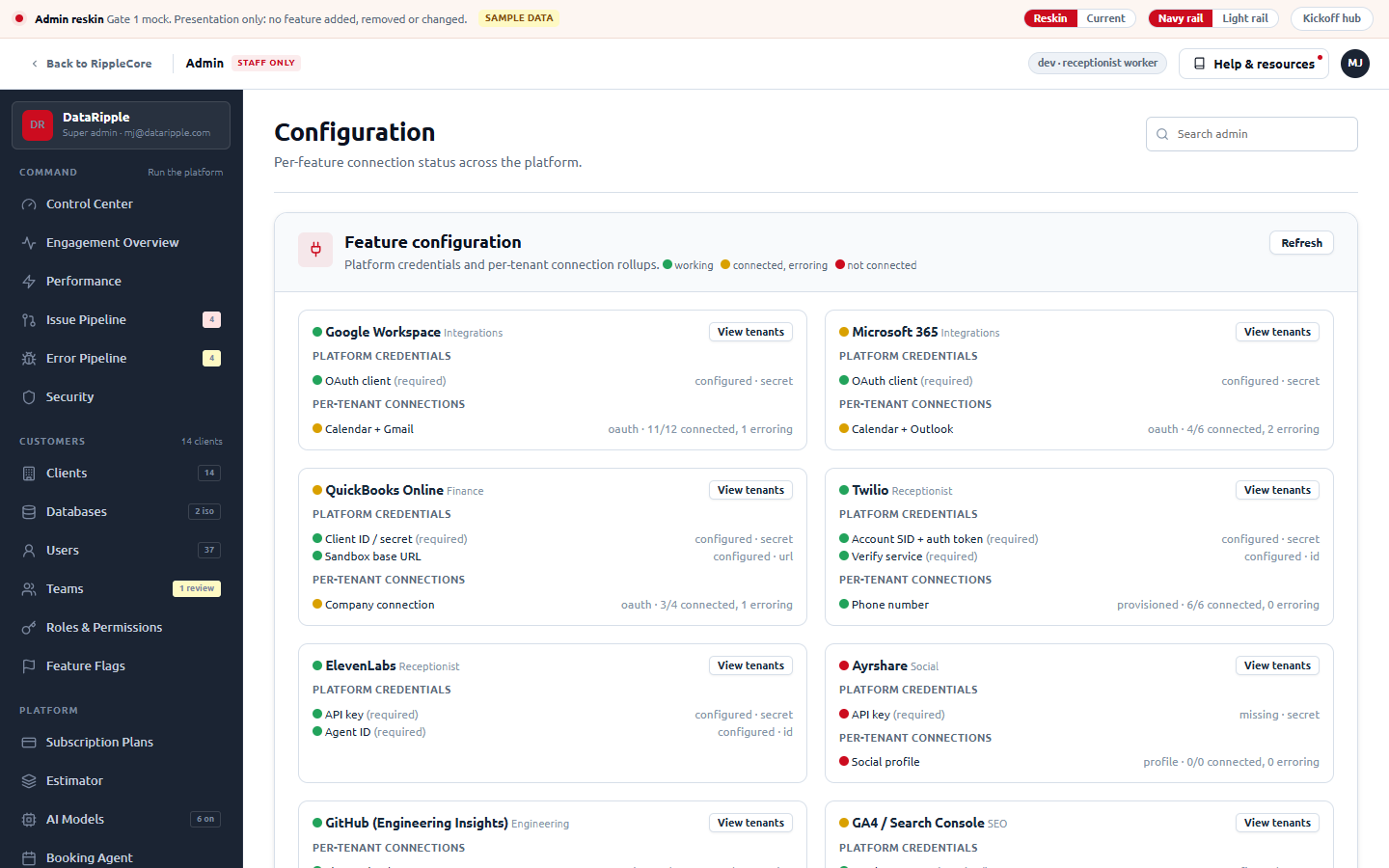
White topbar with "Back to RippleCore / Admin", Help & resources, environment chip. 252px rail with the same four categories and the same 25 destinations as today, plus icons and counts.
Real nav, verbatimPage header
26px title, one-line purpose (the subtitle strings already exist in admin-page-config.ts but are never rendered today), "Search admin" on the right, breadcrumb on detail pages.
Cards
AdminCard (6px, white head, no icon) becomes the SettingsCard grammar (14px, tinted head, icon chip, subtitle, actions right, flush tables).
Tabs
Perf's nine-link sub-nav, Security's six, client detail's seven, Engagement's four views and the Error console's four inner tabs all become one underline-tab component with counts.
Same tabs, one styleTiles and pills
KPI tiles use one shape and are clickable to the list behind them. Status words use one pill vocabulary across Perf, Issue Pipeline, Errors, Security and Databases.
One vocabularyNot touched
Routes, data requests, dialogs' fields, button labels, confirmation copy, the Estimator ERD island, the Agent roster. If it is not presentation it is out of scope.
Scope fenceOne shell with a page router, all 49 routes, every inner tab clickable
Open any page below. The review bar at the top of the mock flips between the Reskin and Current shells on the same content, and between the navy and a white rail. Sample data is seeded honestly: a dormant client, a failed perf run, a webhook drift, one hard-off flag, a team missing its Clerk org.
Before and after
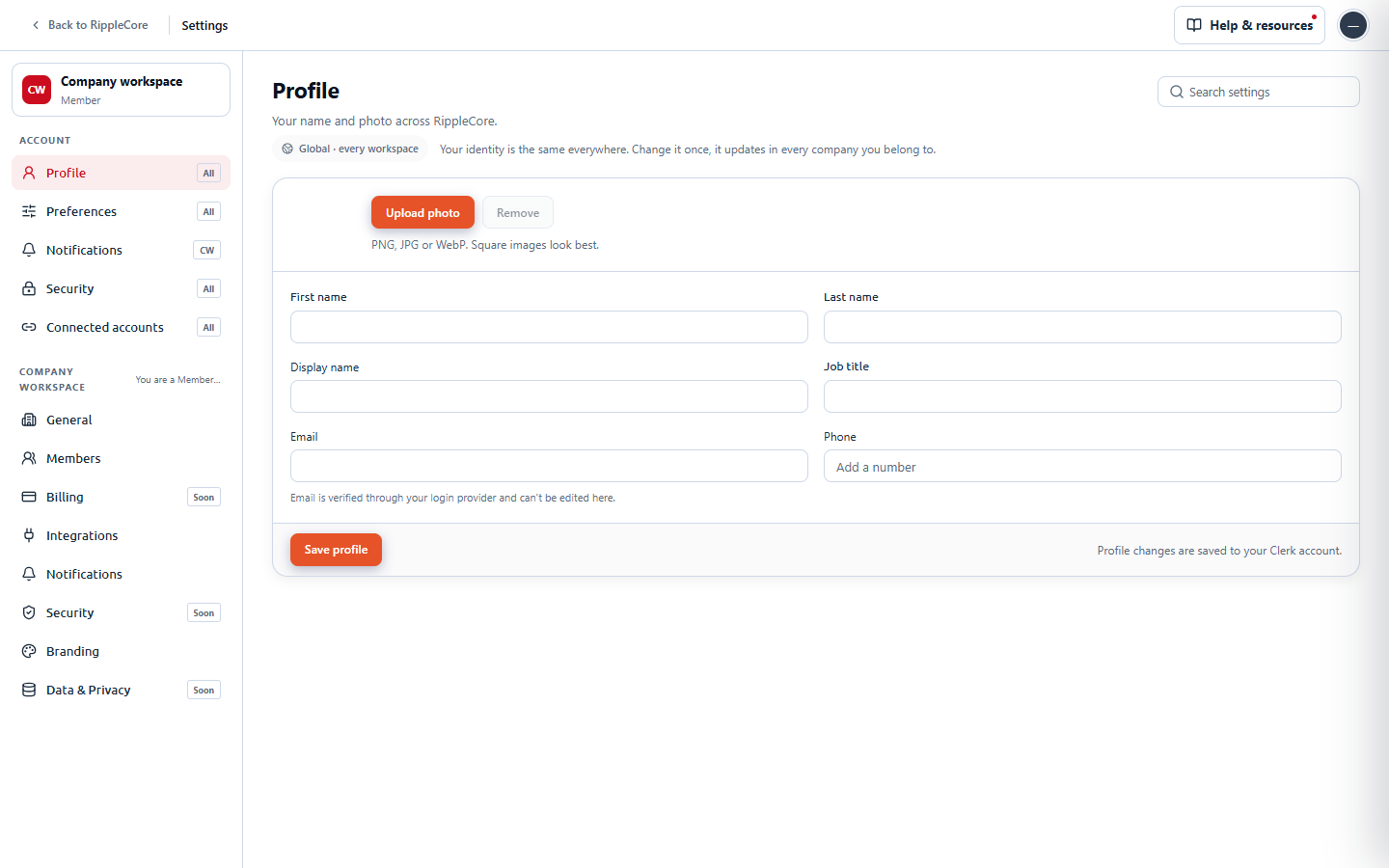
The reference first (Settings on 5199), then the admin pairs. The "before" admin frames are the current shell reconstructed from admin-shell-layout.tsx and admin-shell-nav.tsx on origin/main, rendered around the same content; see the honesty note below on why they are not screenshots of 5199.
The reference: user Settings and company Settings on 5199 (real screenshots)
Open on 5199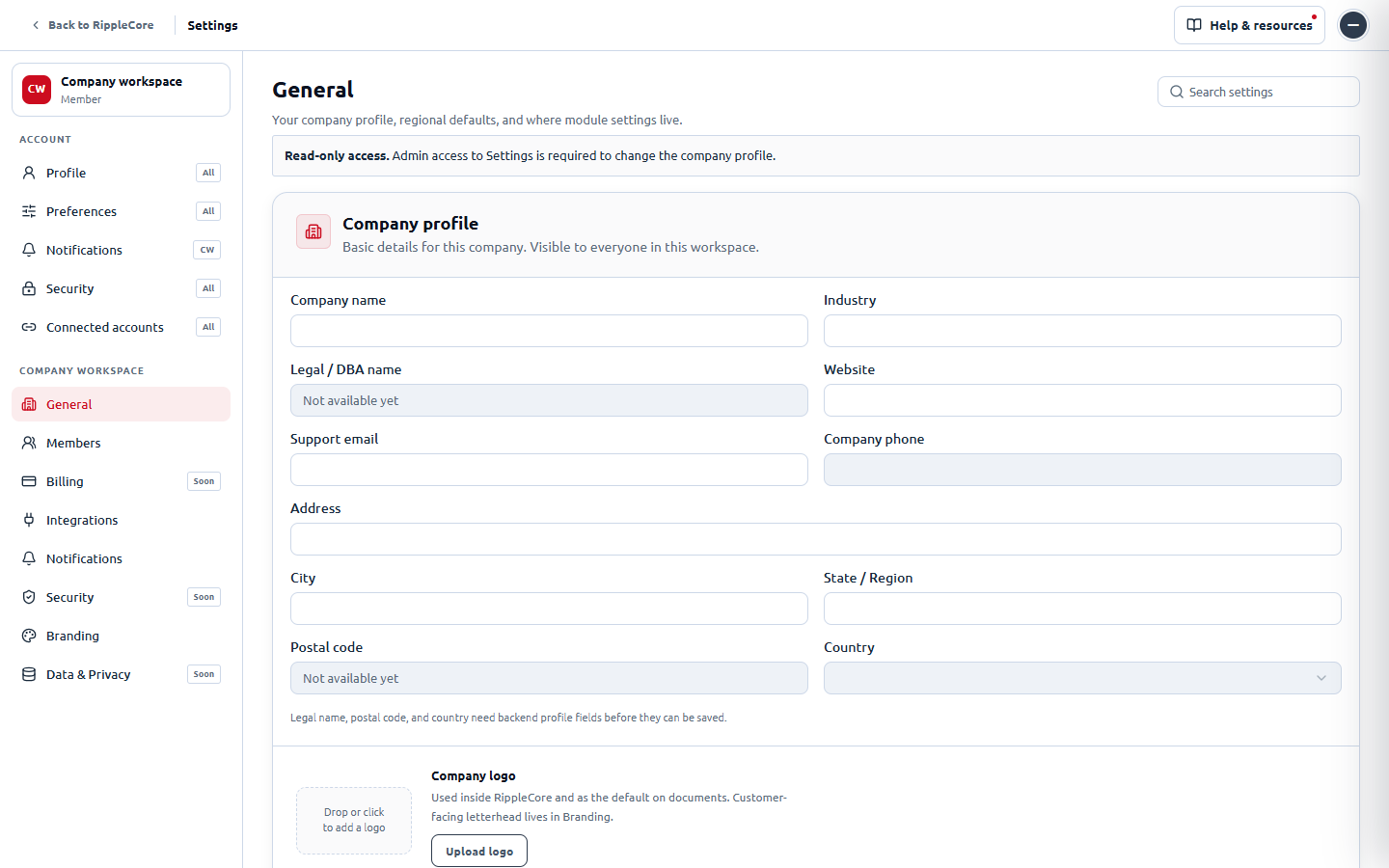
Clients
Open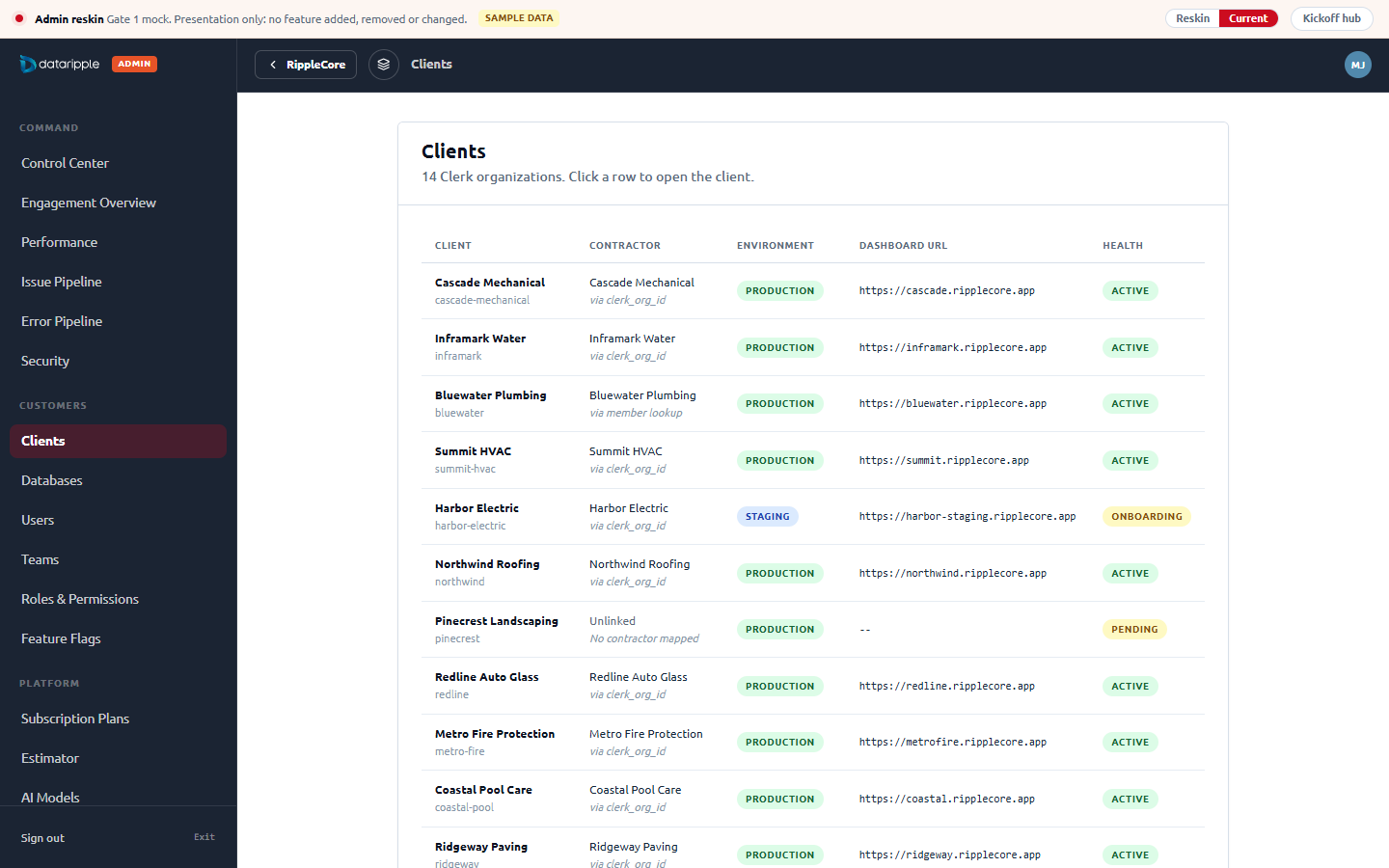
Client detail with its seven inner tabs
Open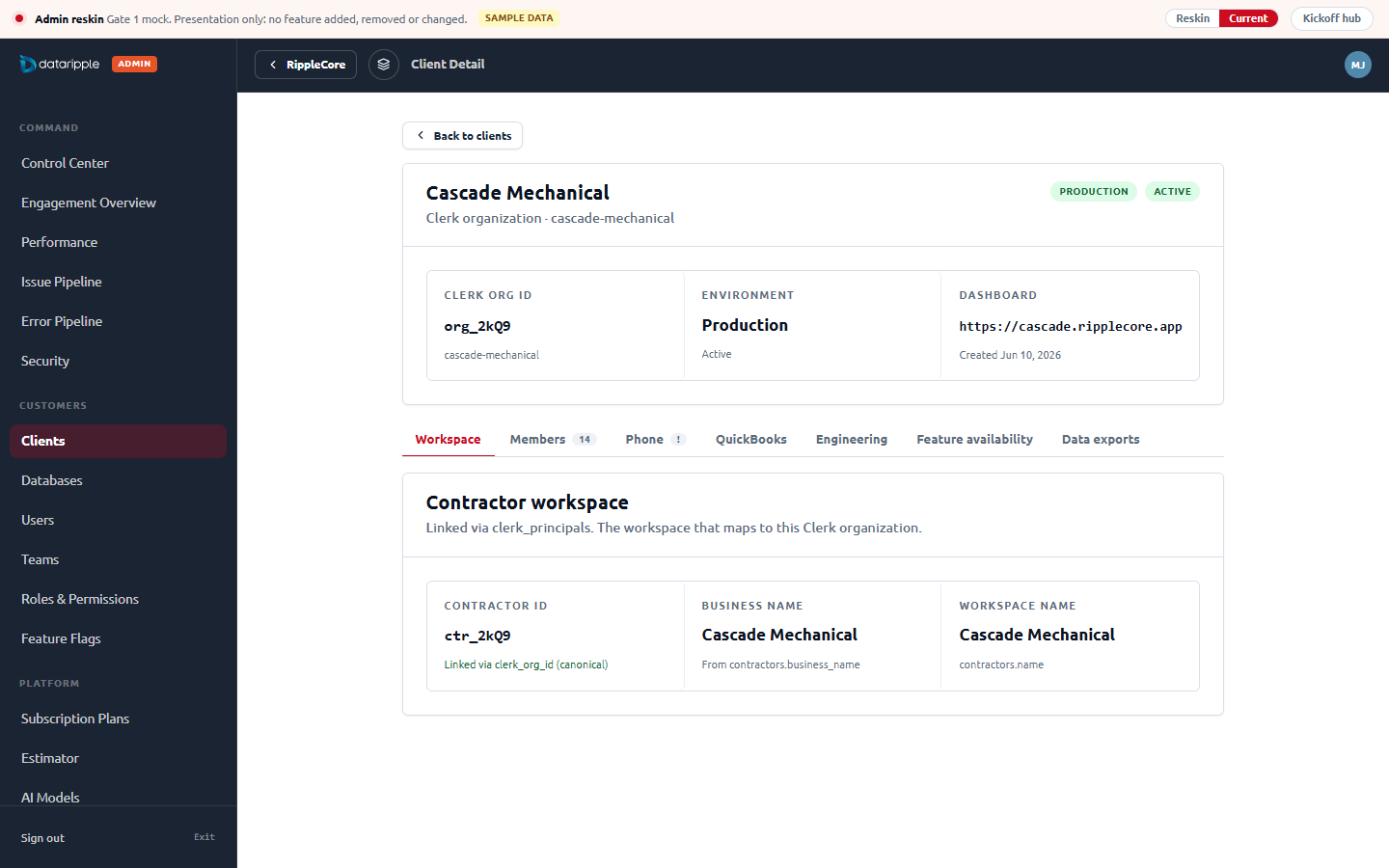
Performance control center with the nine-page sub-nav
Open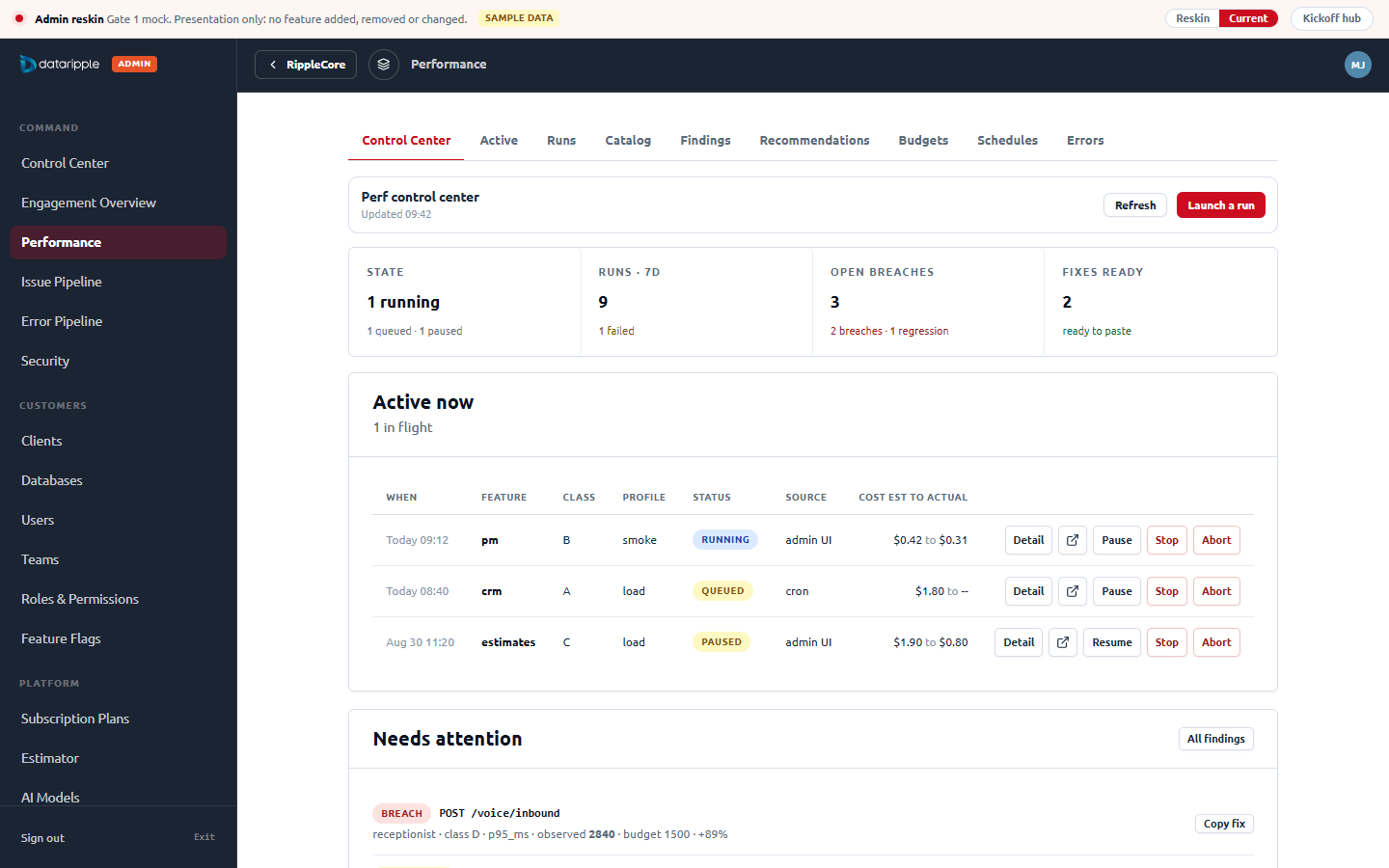
Issue Pipeline
Open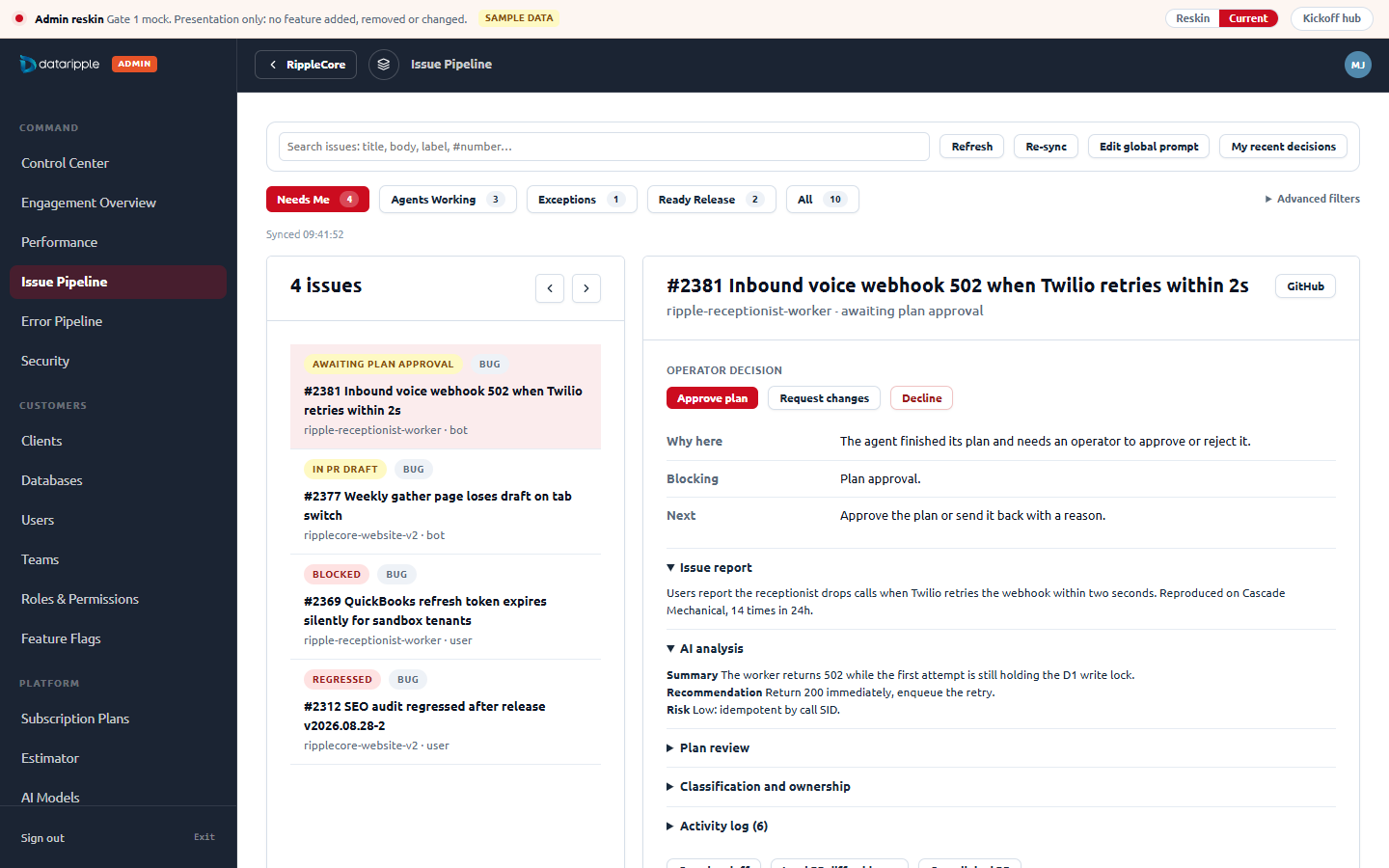
Error Pipeline
Open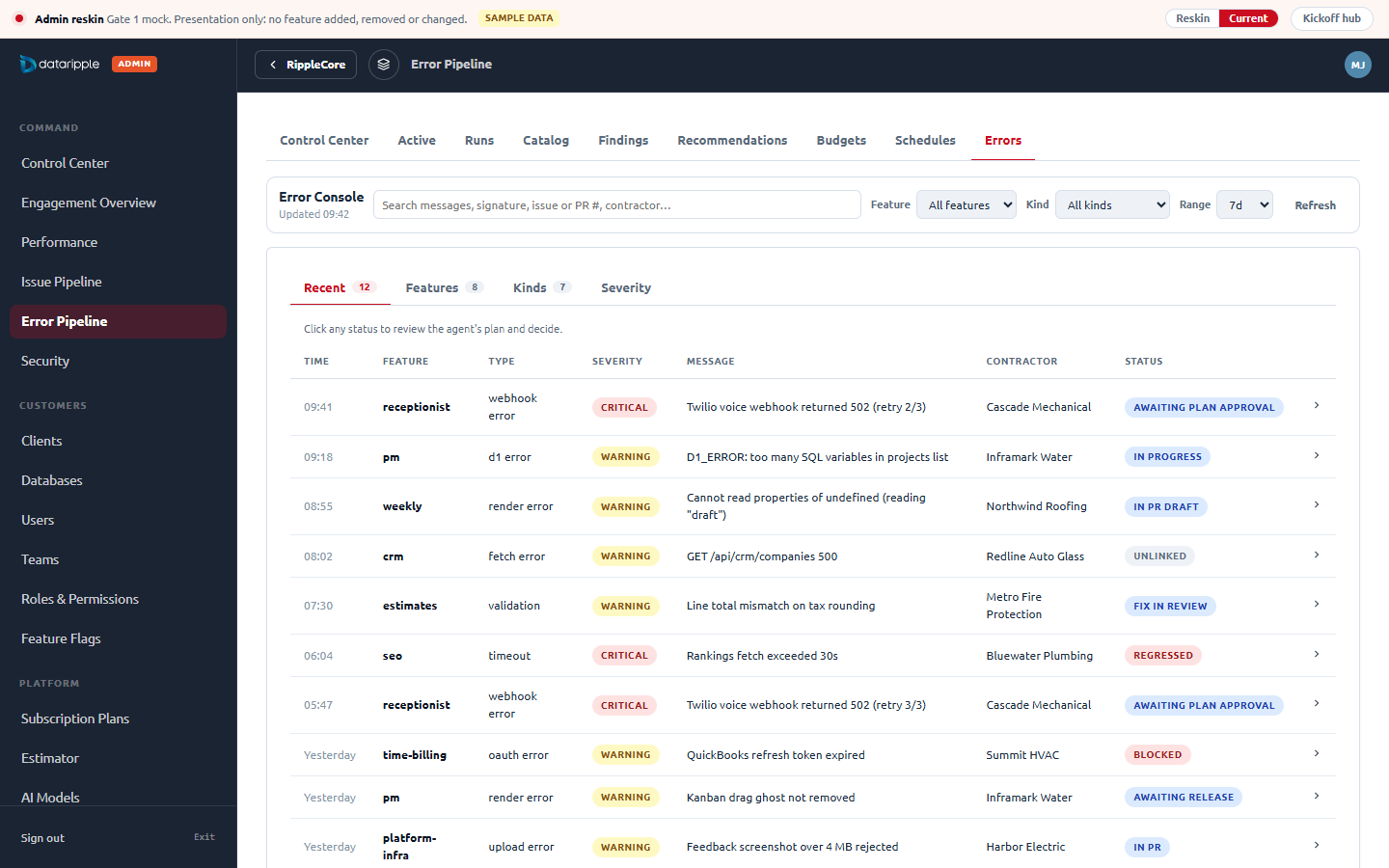
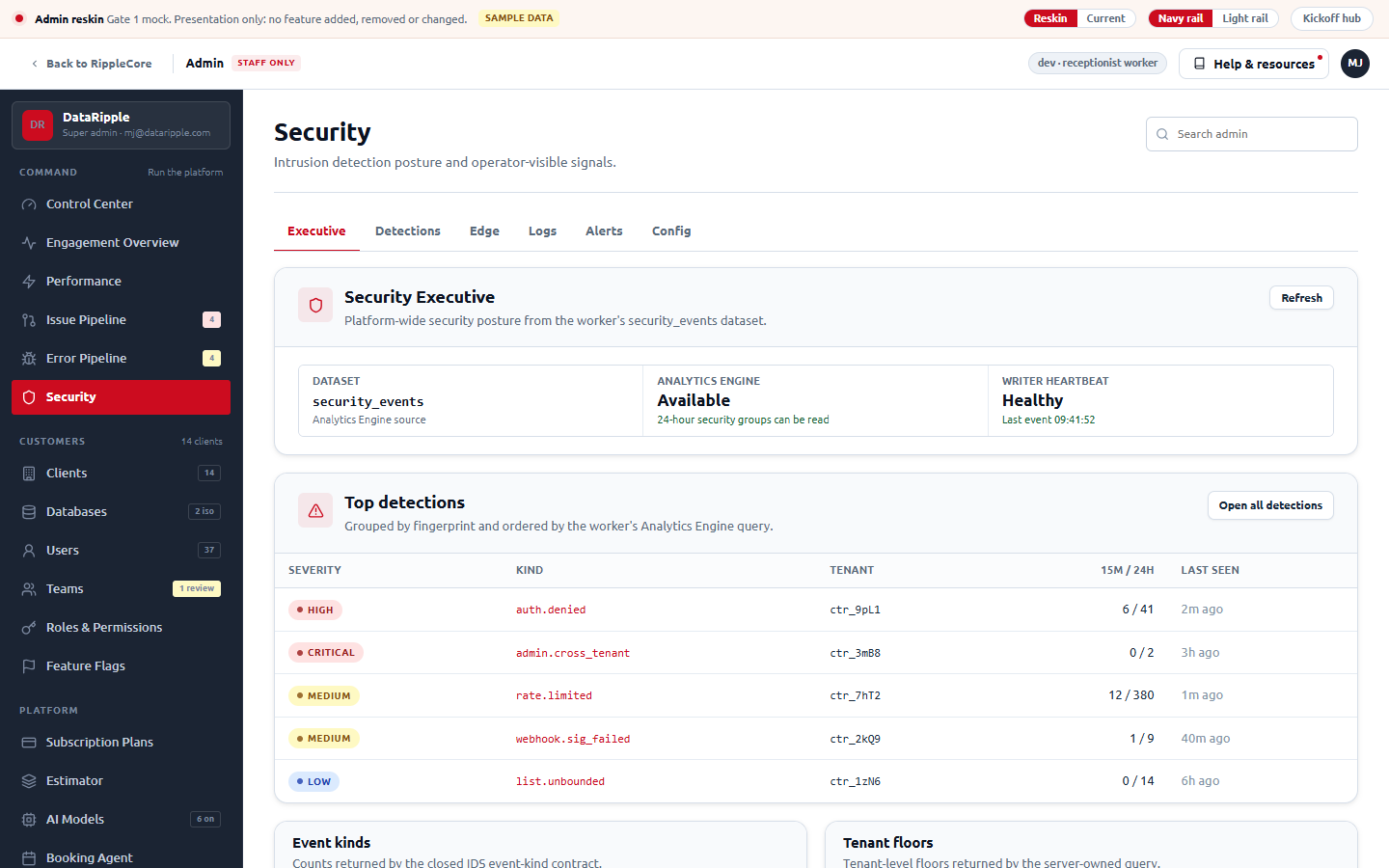
Security executive
Open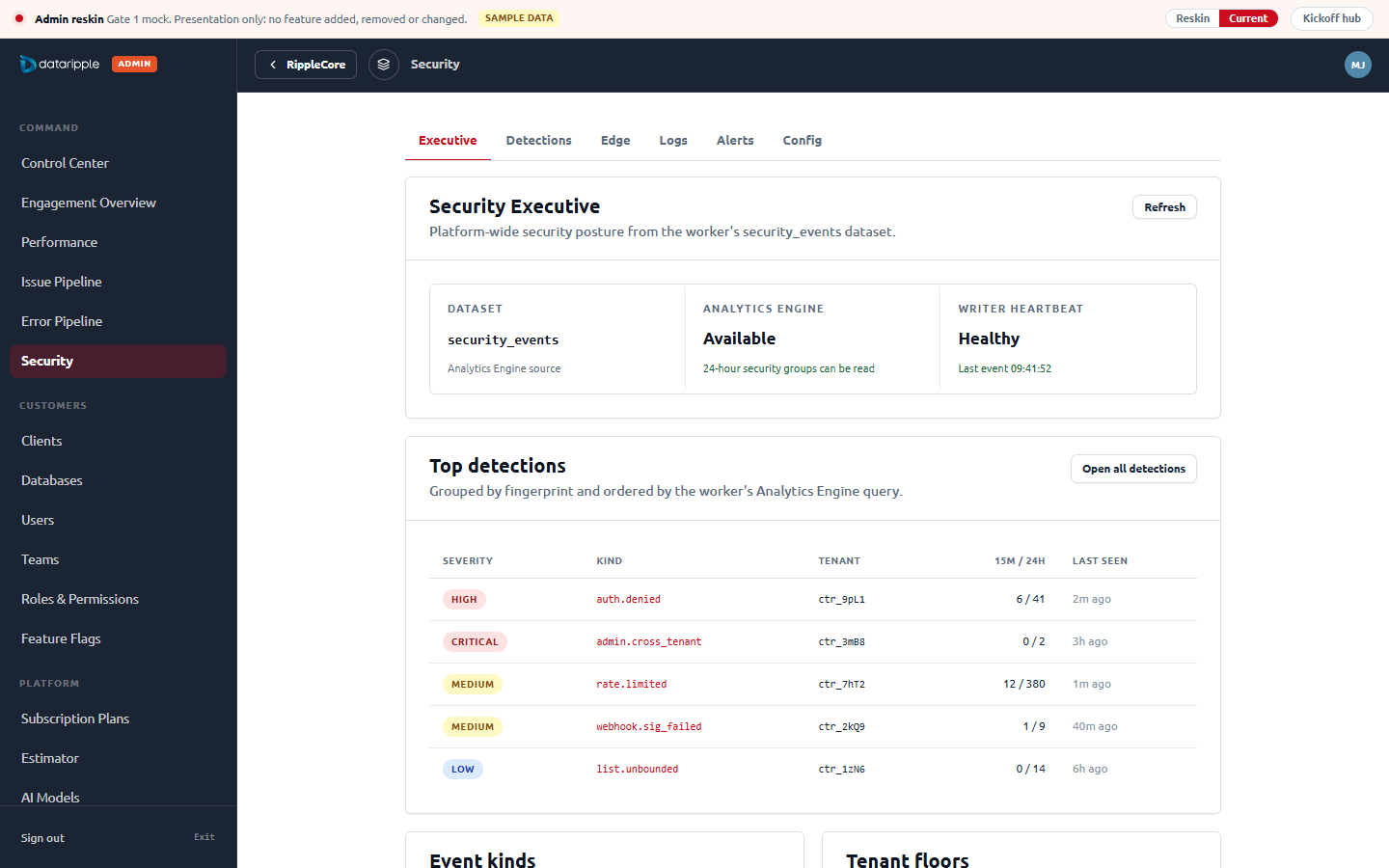
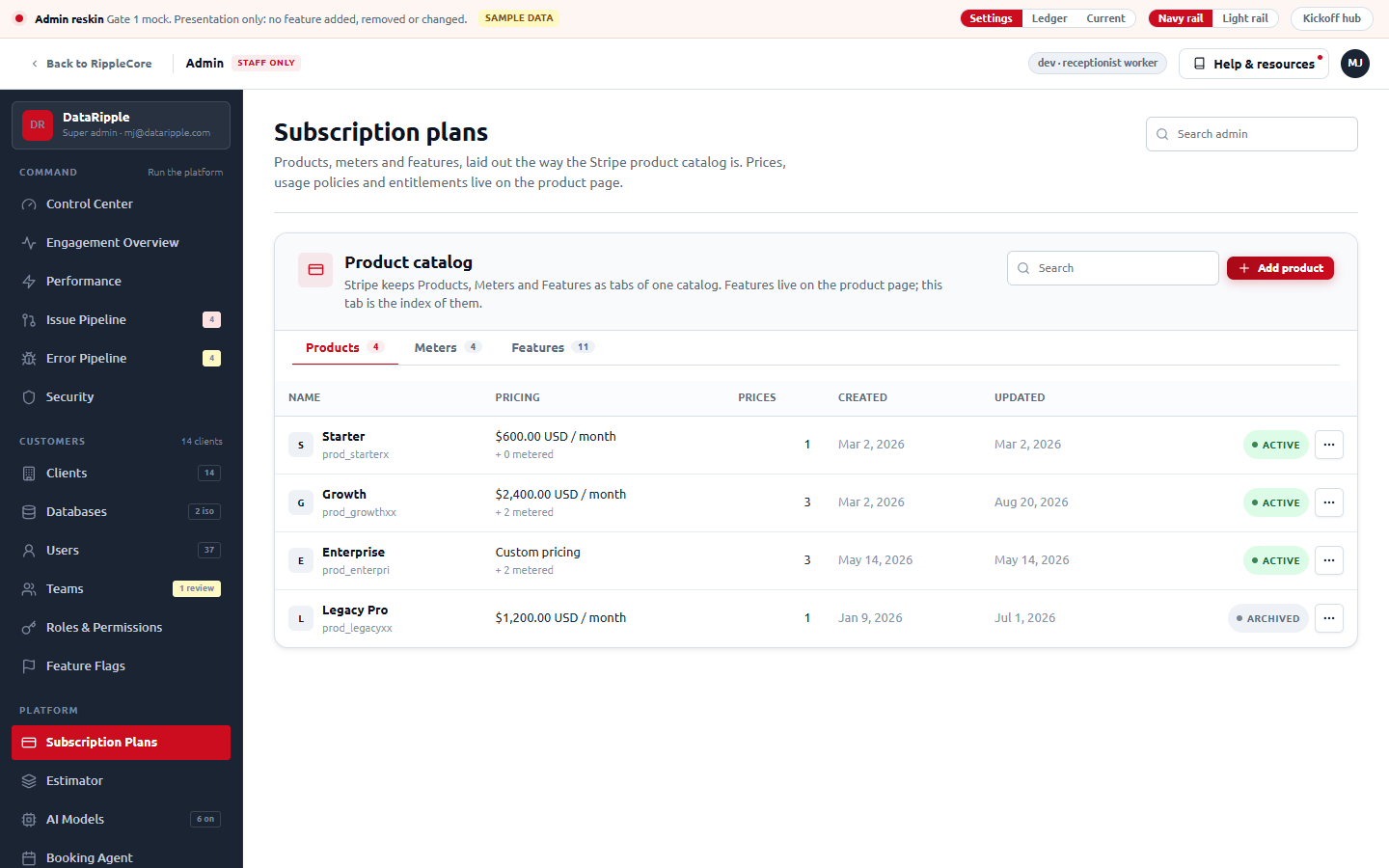
Subscription plans (option A, Stripe layout)
Open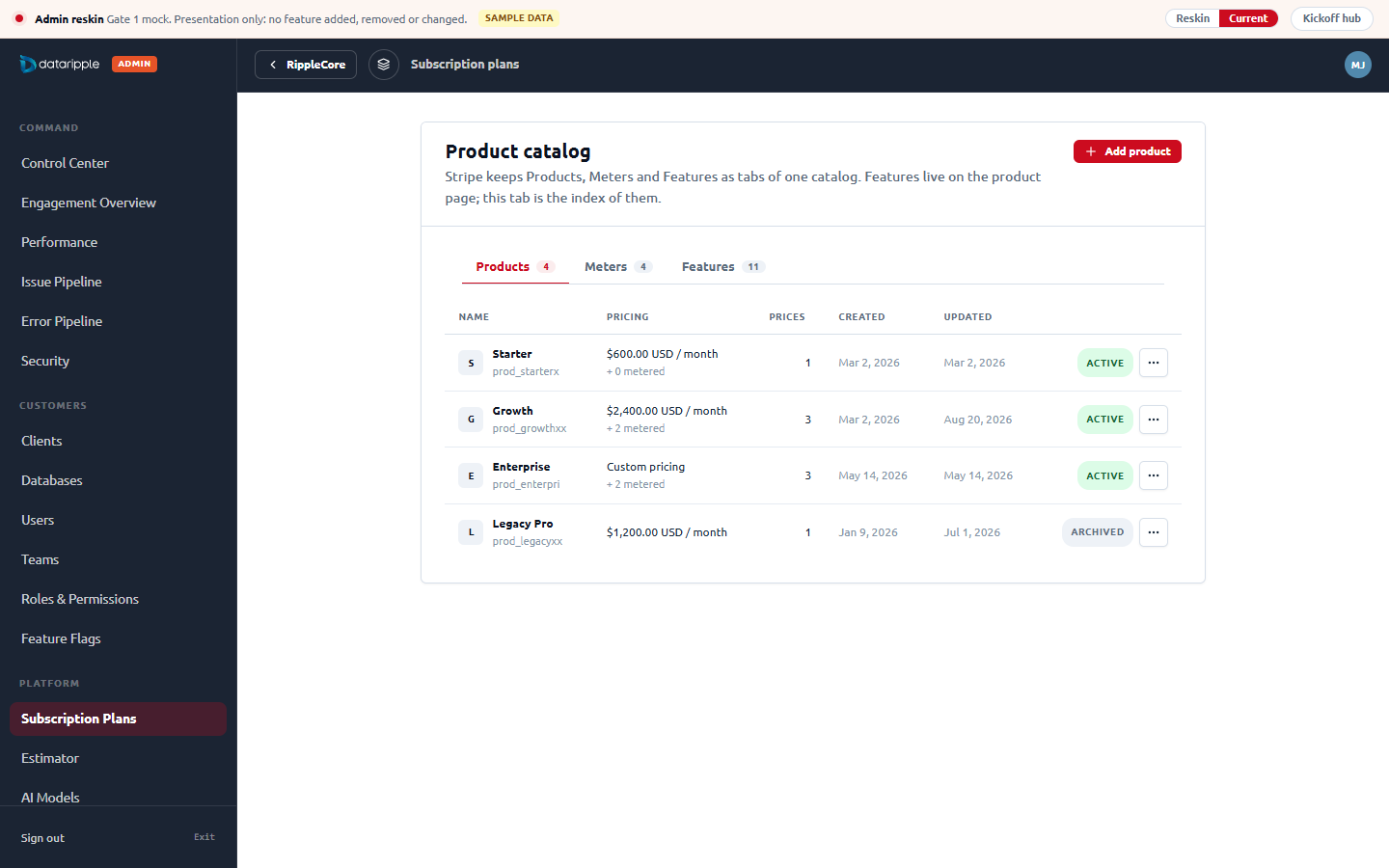
AI Models
Open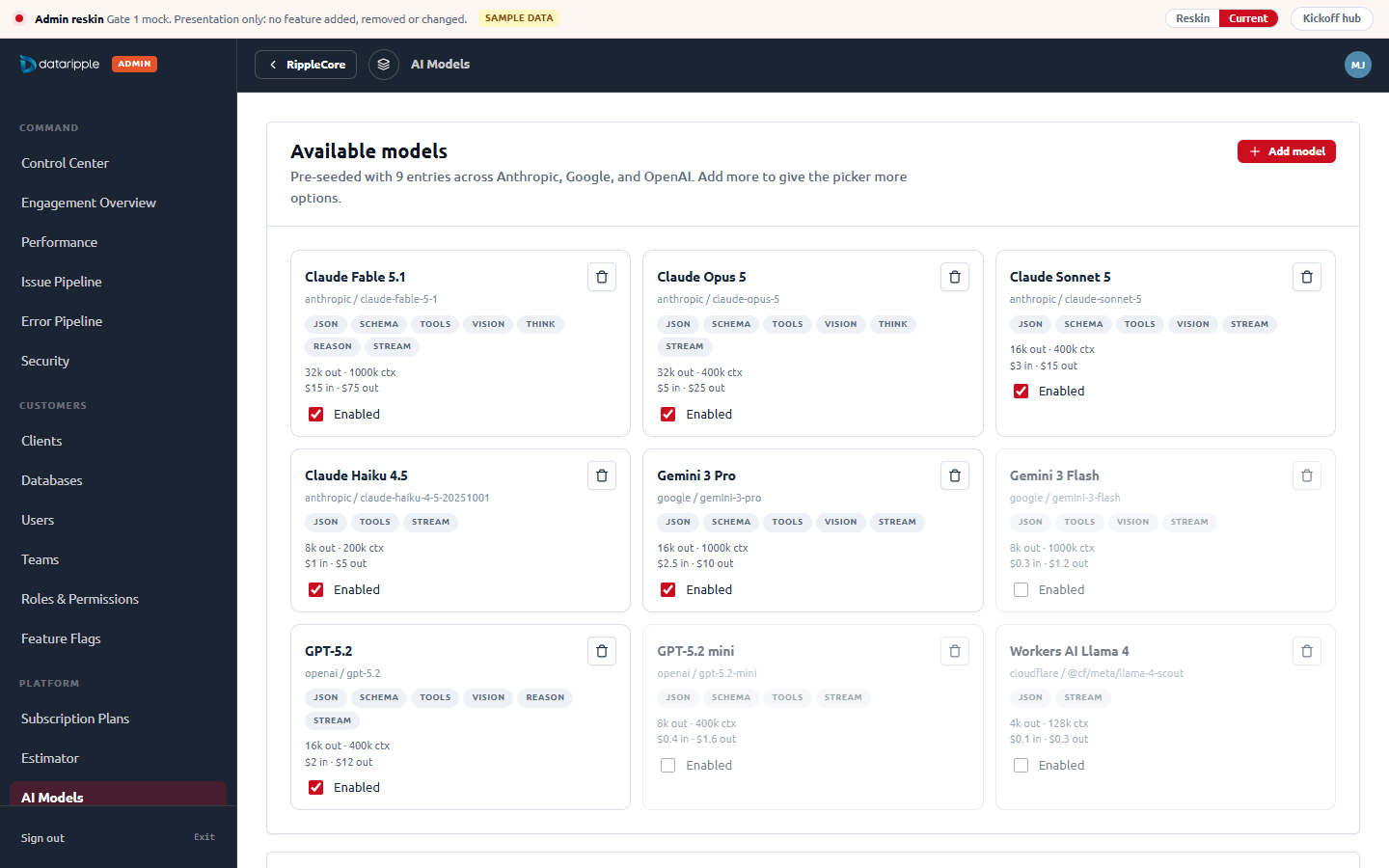
Configuration
Open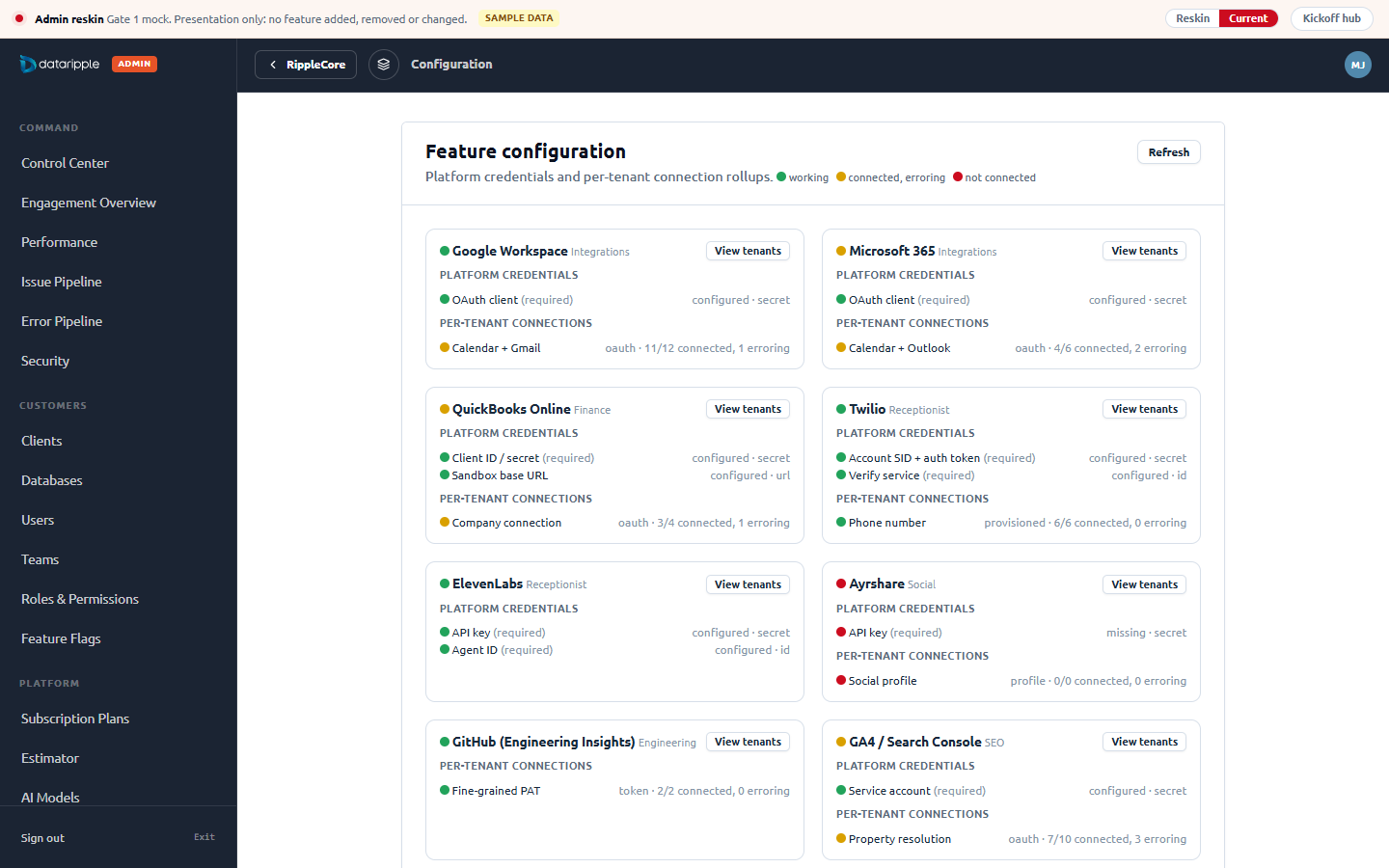
Rail tone: navy chosen, white kept for reference
Open with the white rail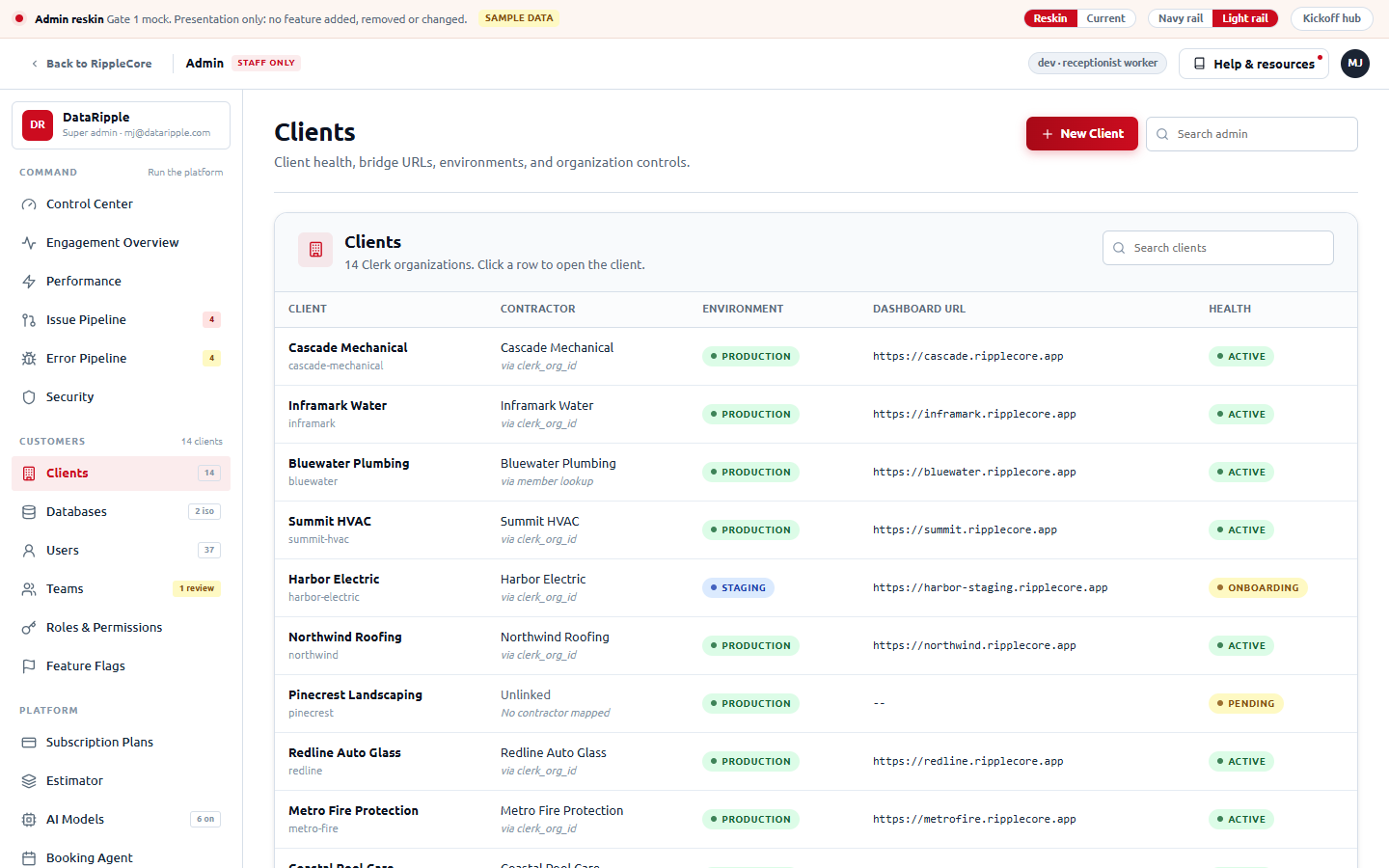
platform_super_admins (local D1). The QA identity qa+test@dataripple.com is an org admin, not a super admin, so /admin/* redirected to the dashboard with notice=admin-denied (captured, not shown). Granting that row is a data change to the shared local stack, so it was not made. The before frames therefore reconstruct today's shell from the code on origin/main (246px navy rail, wordmark plus ADMIN pill, dark 56px topbar with a small title, 6px cards with a white head). One line of SQL against the local D1 turns these into real screenshots if you want them: INSERT INTO platform_super_admins (clerk_user_id) VALUES ('user_…qa+test'), then re-run the capture.What Stripe and the other billing products do, and how each maps onto our model
Our worker already has the right shape: plan versions (draft, active, retired, never edited once retired), usage policies (off, tracked, billed, with allowance, cents per unit and hard quota) and per-feature entitlements that never grant roles. Every mature billing product has the same three ideas under different names, so the admin page can borrow their layout one for one. Open each option in the mock; the segmented control at the top of the page switches between them.
A · Stripe product catalog
What Stripe does: a Products table (name, pricing summary, created, updated, "+ Add product"), and a product page with a Prices table (recurring or metered, lookup key, active or archived, "+ Add another price"), attached Features (Stripe Entitlements), Metadata, and the subscriptions on it. Prices are immutable: archive and add.
Maps to us: plan = product, version = price (retire = archive), billed policy = metered price on a meter, entitlement = feature. Closest fit to the worker's immutability rule.
Open option AB · Chargebee plan catalog
What Chargebee does (Product Catalog 2.0): product families hold plans; each plan has price points (one per currency and period, with a pricing model: flat, per unit, tiered, volume) and an Entitlements tab that lists features with a value type (switch, quantity, range). A left filter rail, plan detail in tabs.
Maps to us: version = price point, policy = per-unit price point with allowance, entitlement = entitlement. The only layout with a first-class place for "seats: 25" and "AI tokens: 2,000,000" as feature values.
Open option BC · Plan comparison matrix
What Vercel, GitHub and Clerk Billing do: the customer pricing table (plans as columns, features as rows, checkmarks in the cells) used as the admin editor. Clerk's Billing dashboard edits plans and features in exactly this grid.
Maps to us: a draft version is one more column; entitlements are the checkboxes; usage policies are a row group. Fastest to scan, weakest for price history and metered detail.
Open option C| Question | A · Stripe | B · Chargebee | C · Matrix |
|---|---|---|---|
| Versioning story (draft, active, retired) | Native: prices are immutable, archive and add. Best fit. | Native: price points archived and recreated. | A draft column; retired versions drop to a table below. |
| Usage policies (allowance, cents per unit, hard quota) | Metered price on a meter, allowance as included units. Hard quota needs a note. | Per-unit price point with tiers; allowance and cap fit the pricing model. | One row group, mode pill plus the three numbers. Least room to edit. |
| Entitlements (and the RBAC-only rule) | Features attached to a product; RBAC-only keys simply cannot be attached. | Entitlements tab with value types; "Not grantable" is a value. | Checkbox per cell; RBAC-only rows disabled. |
| Familiarity for staff | Highest: everyone has used the Stripe dashboard. | Medium: billing people know it. | Highest for reading, lowest for editing history. |
| Pages to build | Two (catalog, product). | One with tabs plus a filter rail. | One. |
| Recommendation | Chosen matches the immutability rule the worker already enforces, and the mental model staff already have. | Rejected if seat and allowance values need to read as features. | Rejected could return later as a read-only "what customers see" view. |
MJ picked A for the products table. Under it, four options, each copied from a real product
The Stripe "Features" card that sat under the products table is gone. MJ picked option 1, the Stripe catalog tabs: Products, Meters and Features as tabs of one catalog card, nothing stacked below. The other three stay reachable from the links in this table for the record.
| Option | What it copies | What sits below the table | Verdict |
|---|---|---|---|
| 1 · Stripe catalog tabs Open | Stripe's own Product catalog page: Products, Meters and Features are tabs of one catalog, not stacked sections. | Nothing. Features become a tab (an index of feature keys and the products they are attached to), Meters become a tab (the usage meters behind billed policies). Editing stays on the product page. | Chosen the exact Stripe layout, and the quietest page. |
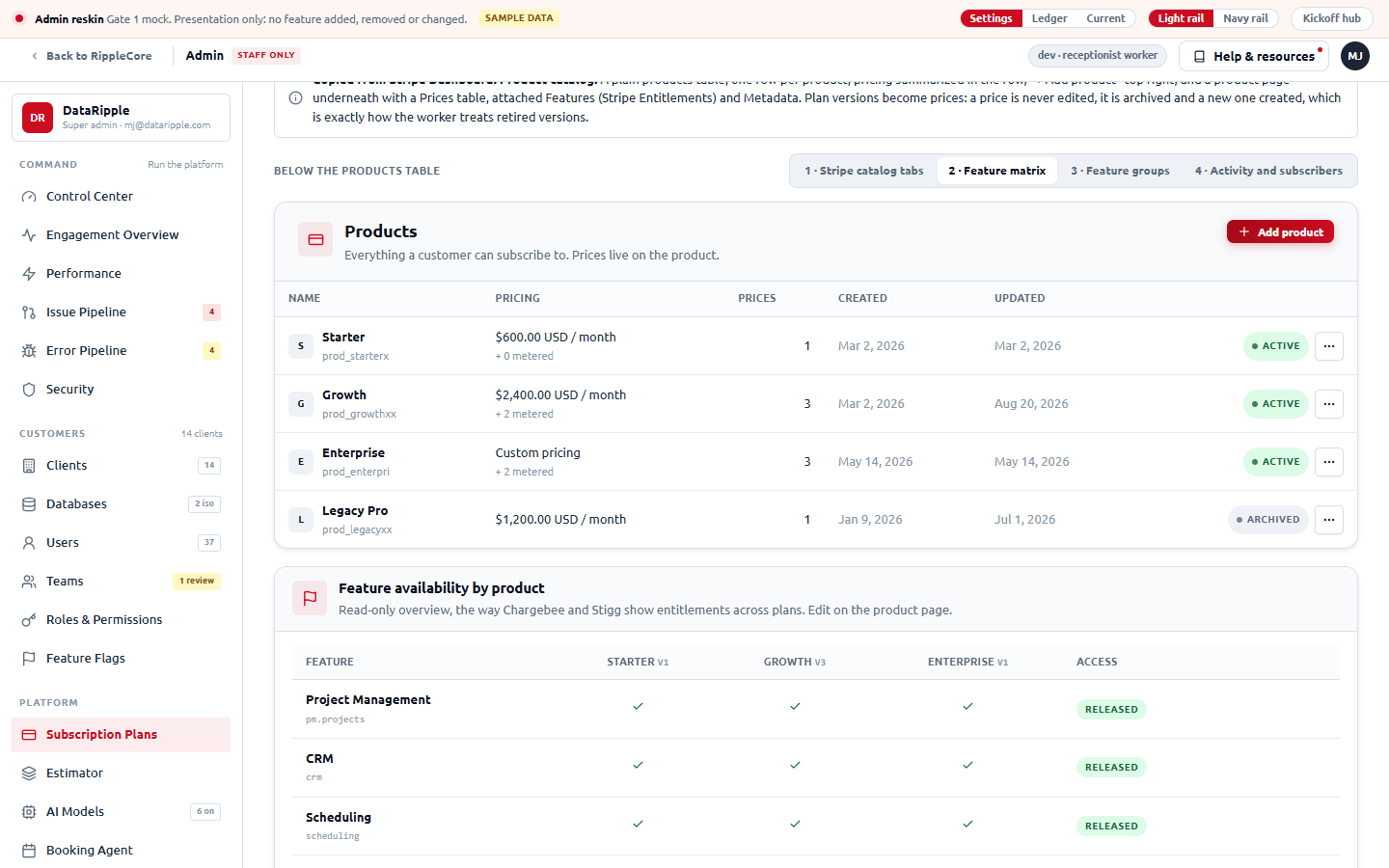
| 2 · Feature matrix Open | Chargebee and Stigg entitlement overviews: features as rows, plans as columns, a check where included. | One read-only grid answering "which plan has what" at a glance, with the RBAC and release gates in a last column. | Rejected best for support questions, but a second place to look for entitlements. |
| 3 · Feature groups Open | Clerk Billing's Features page: features listed by product area with chips for the plans that include them. | Five small cards (Projects, Clients, Revenue, Growth, Platform), each listing its features with plan chips. | Rejected reads well, uses the most vertical space. |
| 4 · Activity and subscribers Open | Stripe's product page pattern (subscriptions on the product, event log) lifted to the catalog level. | "Subscribers by product" (tenants, MRR, newest) beside "Recent changes" (the audit rows the worker already writes). Features live only on the product page. | Rejected the most useful numbers, but MRR needs a read route the worker does not expose yet. |
Below the products table: option 1 (Stripe tabs) and option 2 (feature matrix)
Open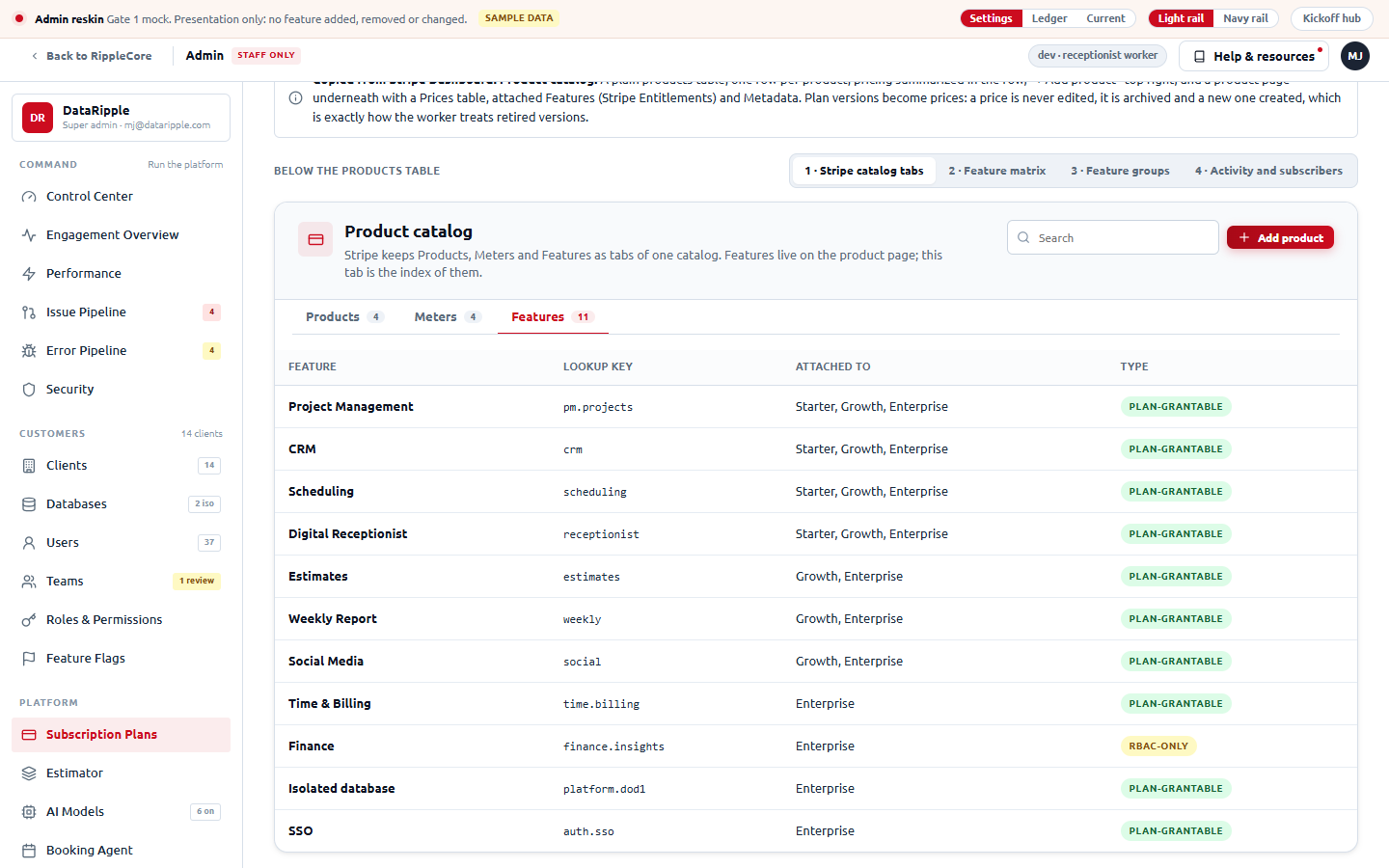
Below the products table: option 3 (feature groups) and option 4 (activity and subscribers)
Open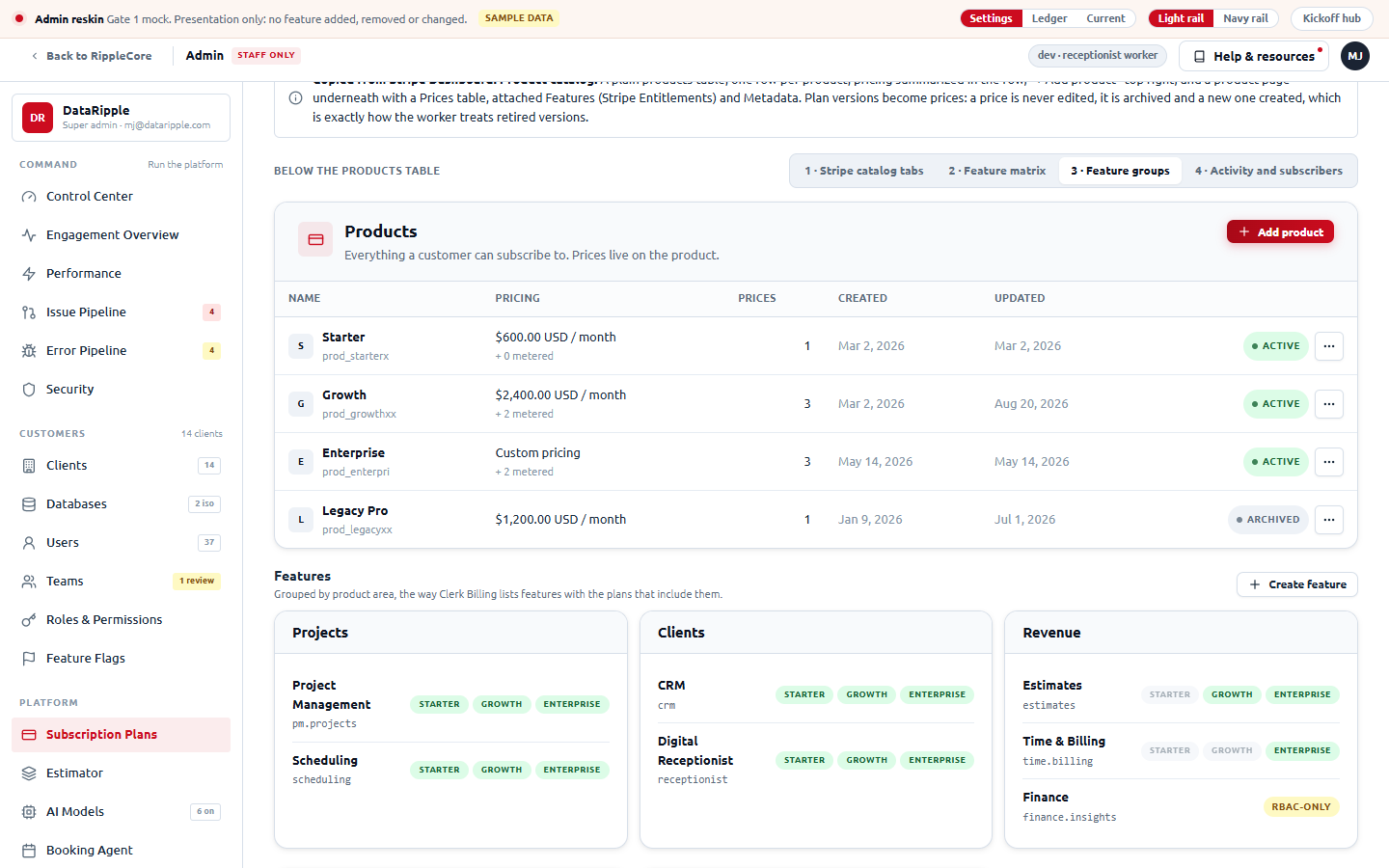
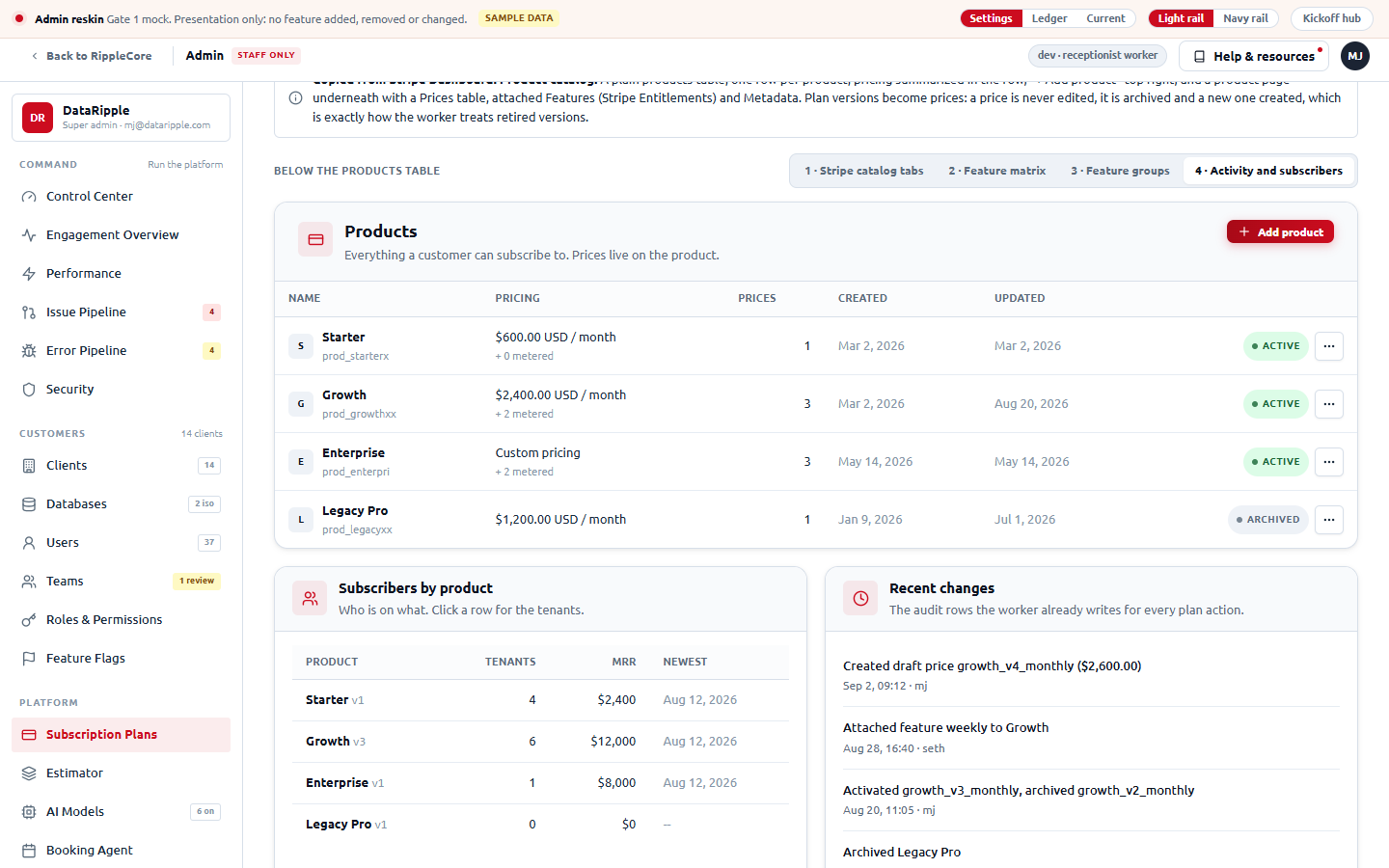
A · Stripe product catalog and product page
Open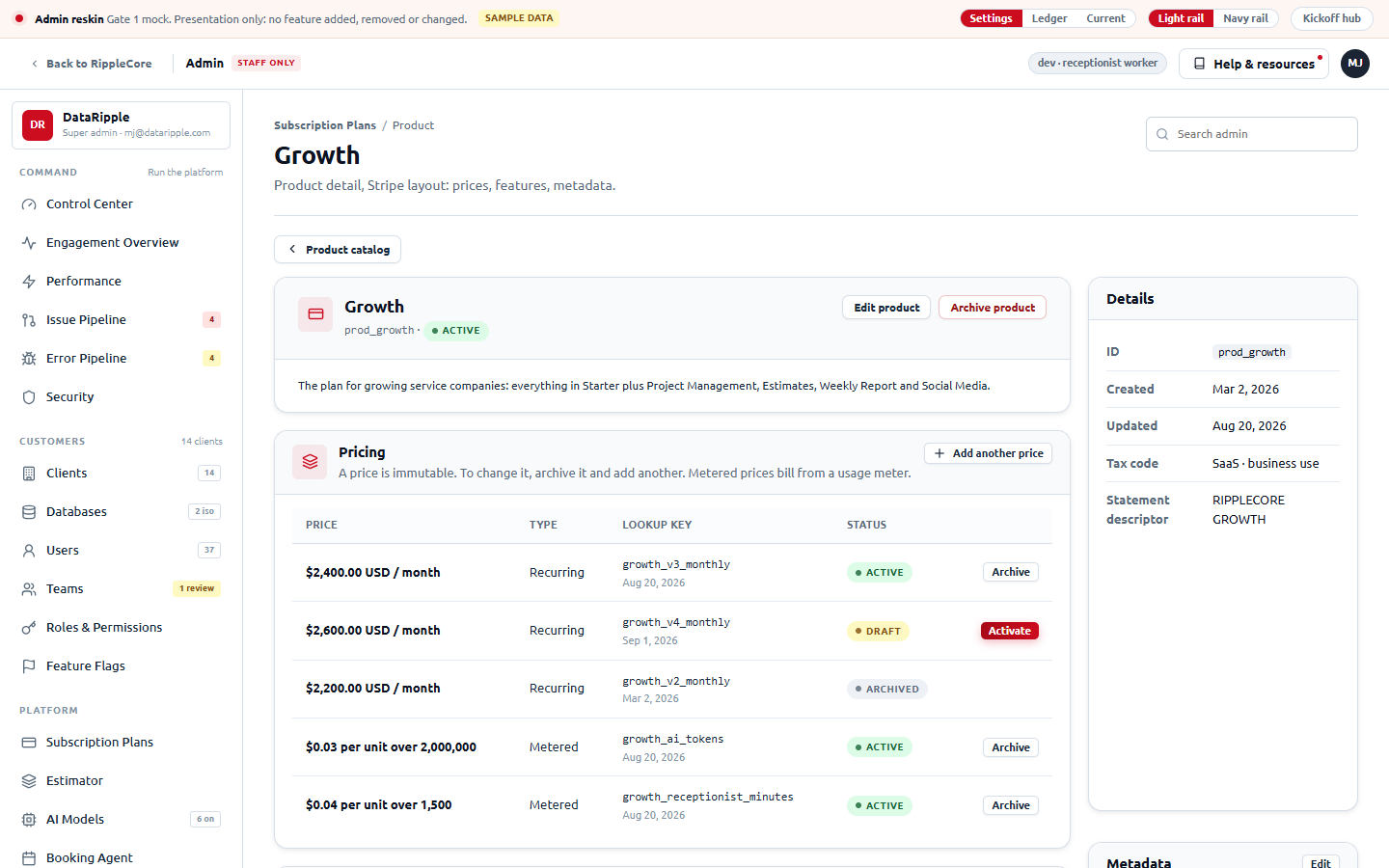
B · Chargebee plan catalog
Open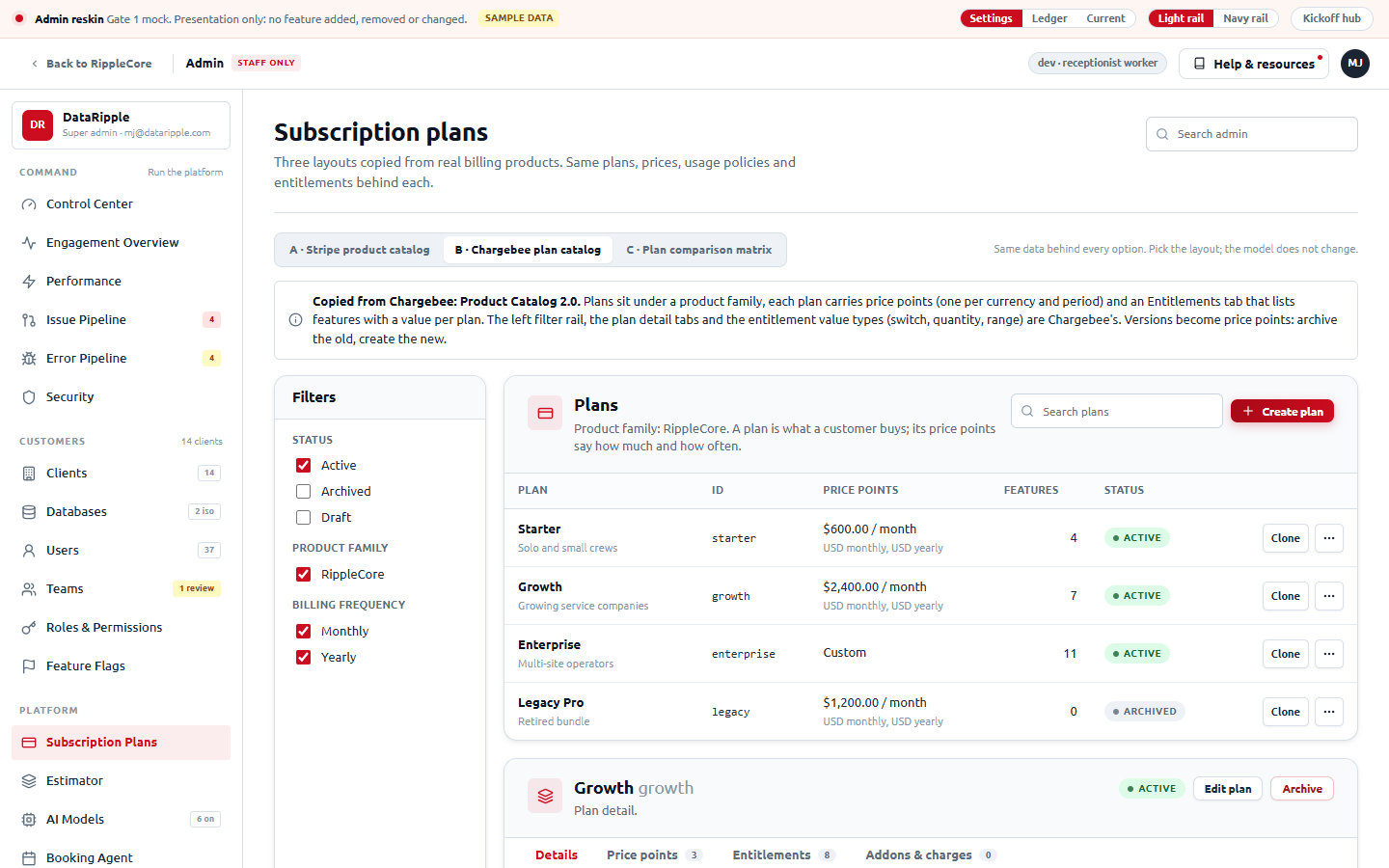
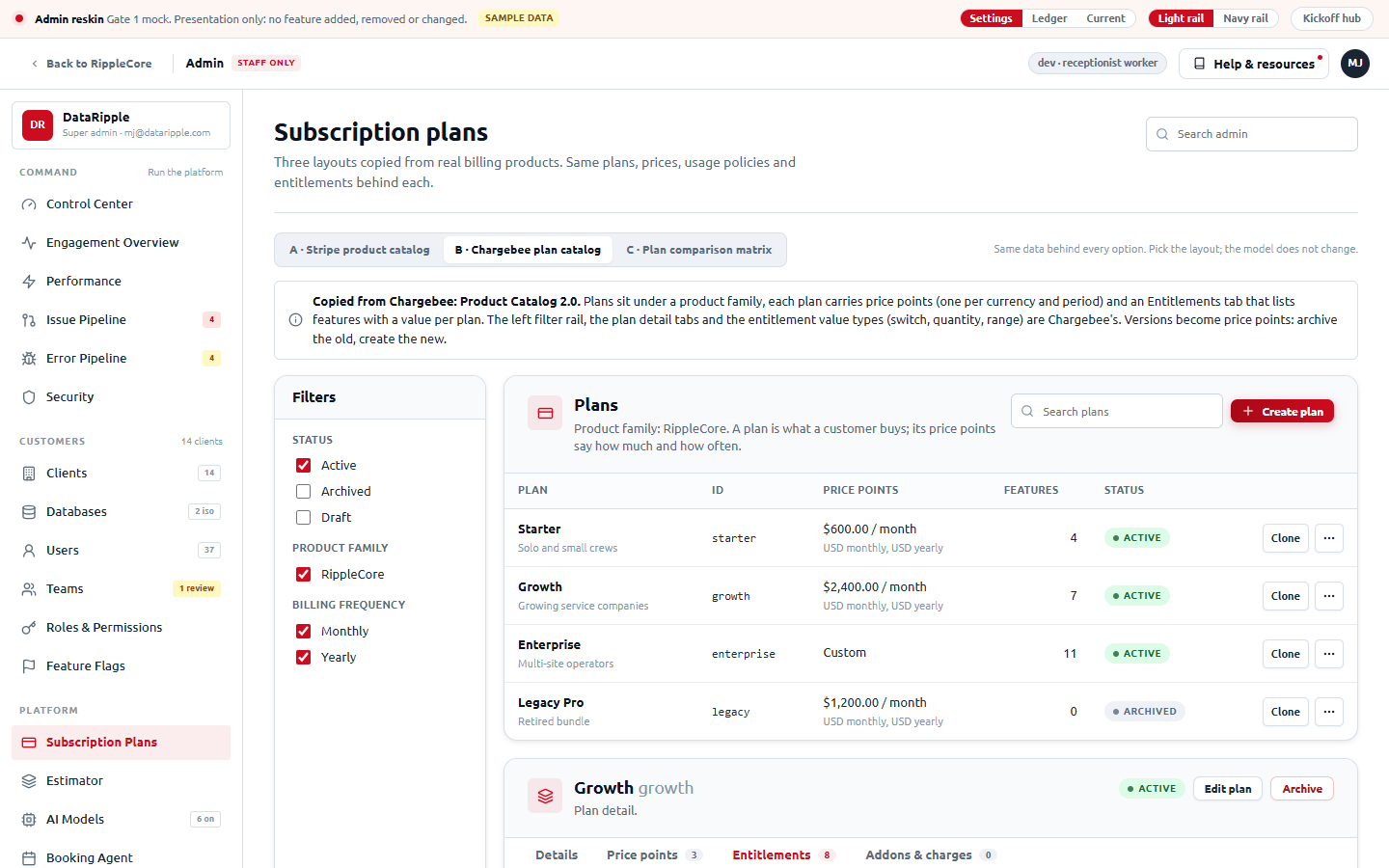
C · Plan comparison matrix
Open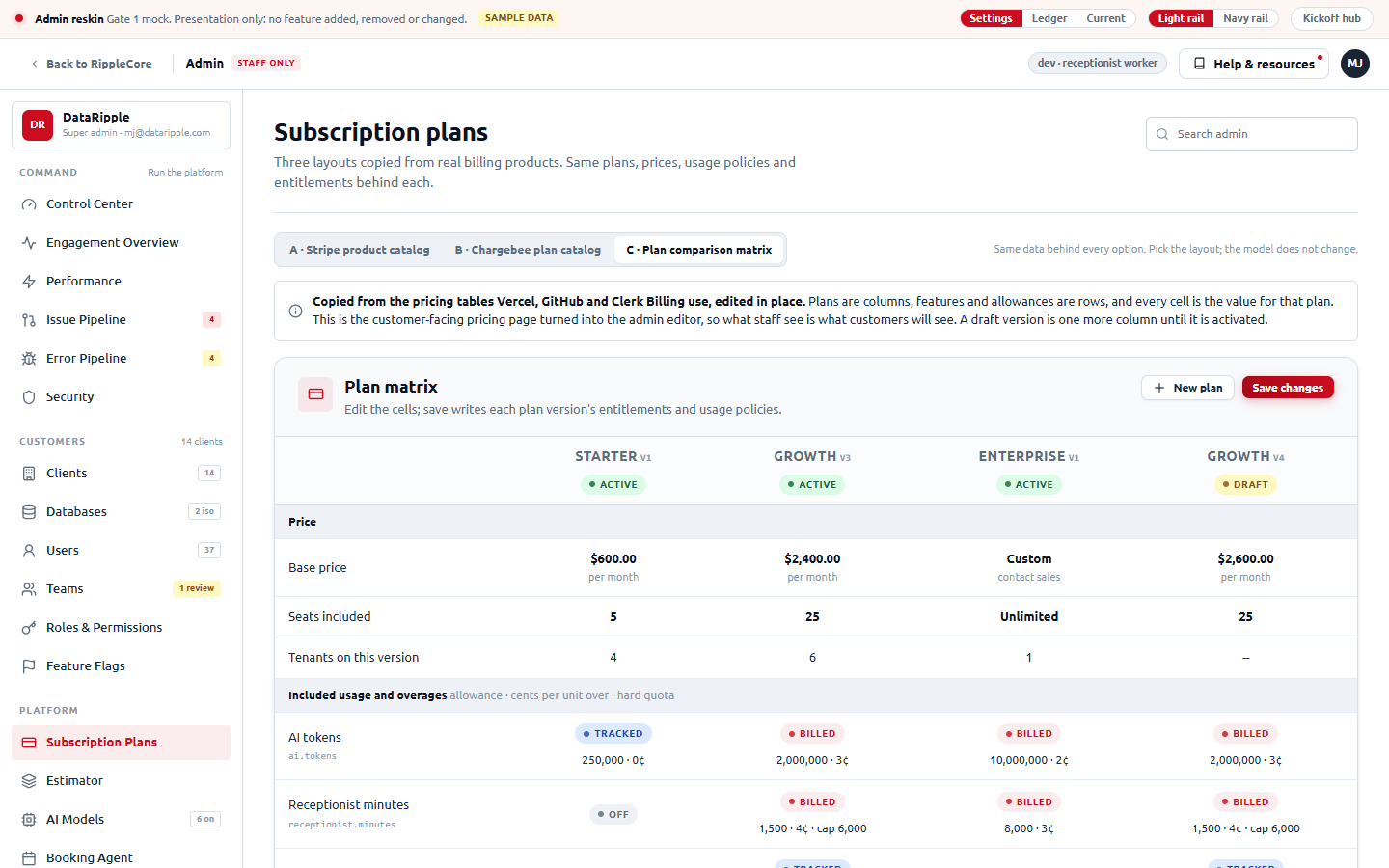
What ships as a reskin, what is partial, what is gated, and why
| Tier | Item | Verdict | The real blocker, or none |
|---|---|---|---|
| Must | Shell: white topbar, navy rail with icons and count badges, page header with title, purpose line and breadcrumb | OK · Wave 1 | None. Three files: admin-shell-layout.tsx, admin-shell-nav.tsx, plus a new AdminPageHead. The subtitle copy already exists in admin-page-config.ts. |
| Must | Cards: AdminCard takes the SettingsCard grammar (icon chip, tinted head, flush tables) | OK · Wave 1 | None. One primitive file (admin-card-primitives.tsx) is composed by every panel, so the swap lands everywhere at once. The 38 panels then need a visual pass each, not a rewrite. |
| Must | Inner tabs: Perf, Security and Estimator sub-navs, client detail tabs, Engagement view switch, Error console tabs, Dev Outbox tabs on one underline-tab component | OK · Wave 1 | None. admin-perf-subnav.tsx, admin-security-subnav.tsx, admin-estimator-subnav.tsx and the shadcn Tabs uses collapse into one styled component. |
| Must | Status pills with one vocabulary across Perf, Issue Pipeline, Errors, Security, Databases, Teams | OK · Wave 1 | None. PerfStatusPill and AdminBadge already map words to tones; unify the two maps and the shapes. |
| Should | Search admin box (filters rail destinations, like Settings) | OK · Wave 1 | None. Client-side over adminNavSections, same as settings-shell.tsx. |
| Should | Light gray page background and the 1440px content max-width | OK · Wave 1 | None. One token on the admin layout. |
| Should | Stat strip replacing the big KPI boxes on pages that already have KPIs (Control Center, Engagement, Performance, Teams, Databases, Security, Agents) | OK · Wave 1 | None. Restyle of the existing tiles; no page gains a metric row it does not have today. |
| Should | Rail badges with live counts (needs-me issues, critical errors, teams needing review, unviewed outbox) | Partial | No single counts route. Either a new GET /admin/nav-counts on the worker (five cheap queries) or badges only on pages whose payload is already in memory. Wave 1 ships static badges ("New", "Soon"); counts follow the endpoint. |
| Should | Help & resources flyout in the admin topbar | Partial | AcademyResourceFlyout exists with a tone="settings" prop; the admin shell has no worker URL plumbing for it yet. Small, but not zero. |
| Should | Breadcrumbs on detail pages (Clients / Cascade Mechanical) | OK · Wave 1 | None. Derived from the existing routeKinds table and the detail param. |
| Differentiator | Generic JSON pages (PayloadCard, record-detail dialog, Security Edge/Logs/Alerts JSON grids) | Partial | Reskin only. The data shape stays raw JSON because those pages are honest views of unshaped worker responses; shaping them is a feature. |
| Should | Subscription plans page in the Stripe layout (option A): products table plus product page with prices, features, subscriptions | Partial | The worker already has plans, versions, policies and entitlements, so the catalog and product page are a re-layout of admin-subscriptions.tsx. The "Subscriptions on this product" table needs a per-plan tenant list the worker does not expose yet (one read route). Metadata is display-only. |
| Differentiator | Estimator ERD island | Unchanged | Bespoke pan/zoom canvas (admin-estimator-diagram.tsx). Only its toolbar picks up the button styles. Simplified in the mock. |
| Differentiator | Real "before" screenshots for the kickoff | Gated | A super-admin grant for qa+test in the local D1 (one INSERT). MJ's call; not made in this pass. |
Ship the primitives first, then sweep the four groups
Recommendation
- Primitives (2 days). Shell, page head, card, tabs, pill, stat strip. Land them behind the existing components so every page changes at once and nothing functional moves.
- Command sweep (1.5 days). Control Center, Engagement (4 views + drawer), Performance (9), Issue Pipeline, Error Pipeline (+ mobile), Security (6). Mostly replacing ad-hoc Tailwind on toolbars and tables.
- Customers sweep (1 day). Clients, client detail (7 tabs), New Client wizard, Databases (+ detail), Users, Teams, Roles & Permissions, Feature Flags.
- Platform and Configuration sweep (1.5 days). Subscriptions, Estimator (toolbar only), Models, Booking, Assistant, Agents, Academy (+ storyboard), Feedback, Configuration, Recorder, Registration, Dev Outbox.
- QA at 1440x900 (1 day). Every route, every tab, zero console errors, the existing admin tests (
admin-shell-layout.test.tsx,admin-shell-nav.test.tsx,admin-page.test.tsx) green, and a real super-admin walkthrough by MJ on 5199.
Honest cost: about seven working days for the reskin, plus one for the Subscription plans re-layout (option A) and its per-plan tenant read route, for one engineer across 49 routes and roughly 10.7k lines of panel code, if the primitives land first. Doing it page by page without the primitives roughly doubles it and leaves two card styles in the tree.
Deliberately unchanged (features)
- Every route and its data requests
- Every button label, dialog, confirmation and toast string
- The four rail categories and 25 destinations, in order
- Control Center stays three tiles and two buttons
- Roles & Permissions stays read-only reference cards
- Generic JSON views stay JSON
- The Estimator ERD island and the Agent roster
- Super-admin gate and fail-closed screen
Reskinned (presentation)
- Shell: topbar, rail, page header, search, breadcrumbs
- Cards: head, icon chip, subtitle, actions, flush tables, footers
- Tabs: one underline style with counts; segmented control for views
- Metrics: one quiet stat strip on the pages that already have them, still clickable
- Status pills: one vocabulary
- Filter bars, toolbars, forms, toggles, list rows
- Modals and drawers
- Light gray page, 1440px content width, Ubuntu everywhere
mockups/admin-reskin/: admin.html (shell), shell.js (router, rail, icons, tabs, modals), pages-command.js, pages-customers.js, pages-platform.js, pages-security.js (one entry per route), data.js (sample data), admin.css on top of the shared onboarding.css tokens, current.css (the "before" shell), pages-subscriptions.js (the three billing layouts). Local review: node mockups/admin-reskin/_serve.mjs then http://localhost:4820/. Nothing in the v3 repo was written.